

How Can Coaches Spot When a Client's Check-in and Logs Disagree?
Short answer: Use Check-in Insights. Before you record your check-in video, you ask the MyStrengthBook Agent to prepare a private read of the client's check-in. It looks at the check-in alongside the client's logs and other history, then saves a summary on the page: what is going well, what is slipping, what you have already told them, and changes to consider. Only you can see it. The agent prepares. You decide. Check-in Insights is in early access.
Why is it so hard to read a check-in against the logs?
A client's check-in tells you how they feel. Their logs tell you what they did. The useful signal often sits in the gap between the two.
Say a client rates her nutrition at the top of the scale. Her food logs come in under her plan. Both facts are in your platform. But to see the gap, you have to open the check-in, then the nutrition log, then the training log, and hold all of it in your head.
Do that for every client, every week, and it takes a long time. Some gaps get missed. That is not a coaching problem. It is a data-wrangling problem.
What is Check-in Insights, and where do I find it?
Check-in Insights is a feature of the MyStrengthBook Agent. It prepares a private read of a client's check-in, so you have the picture before you record your video.
In the coach web app, you find it on the client's page under Reports > Check-in Summary. The panel is titled "Check-in insights" and carries an Only you can see this badge. The panel itself describes it as a private read of the check-in that you prepare before you record your video.
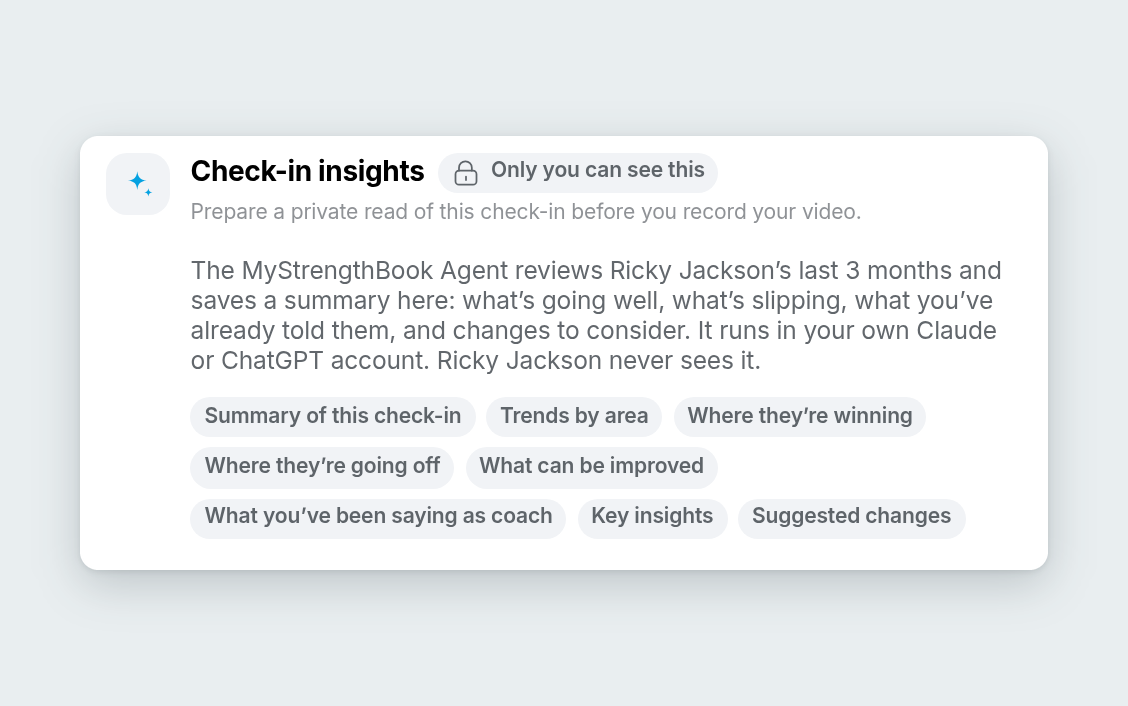
The panel is titled Check-in insights and carries the Only you can see this badge.
It is part of the MyStrengthBook Agent, which is in private beta. Check-in Insights is in early access. It works inside PULL, for 1:1 coaches. You do not need to be technical.
How do I run it?
- Open your client's page and go to Reports > Check-in Summary.
- Click the header button: Ask MyStrengthBook Agent to prepare check-in insights.
- A new chat opens in your own Claude or ChatGPT account. The MyStrengthBook Agent does the reading there.
- A private summary is saved back to the page for you.
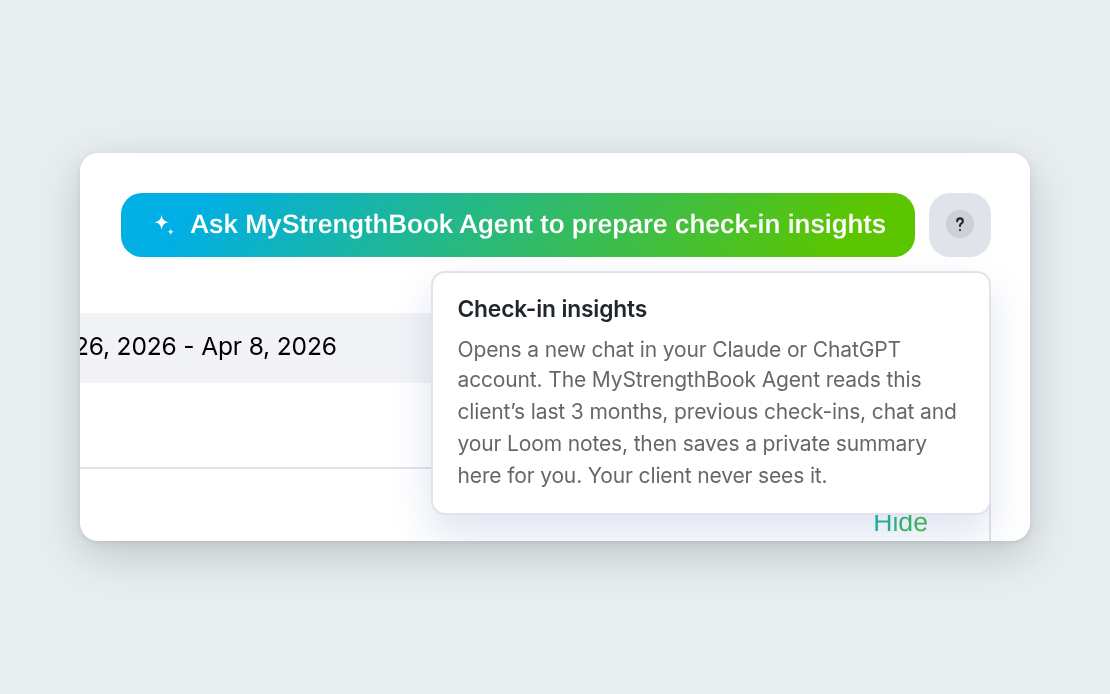
The header button on Check-in Summary.
The "?" help tip on the button says the same thing in short: the chat opens in your own account, the agent saves a private summary on the page, and your client never sees it.
What does it read?
The panel lists what the agent looks at for each client:
- Previous check-in reports
- Daily data from recent months (only what that client's setup tracks)
- Recent chat messages with the client
- Your Loom check-in videos from recent months
- The client's periodization phase, goals and onboarding answers (see how Periodization works in MyStrengthBook)
If your client's setup does not track something, the agent has nothing to read there. It works from what is in the platform.
What do you get from Check-in Insights?
The summary is saved in sections, in this order. The panel shows them as chips:
- Summary of this check-in
- Trends by area
- Where they're winning
- Where they're going off
- What can be improved
- What you've been saying as coach
- Key insights
- Suggested changes
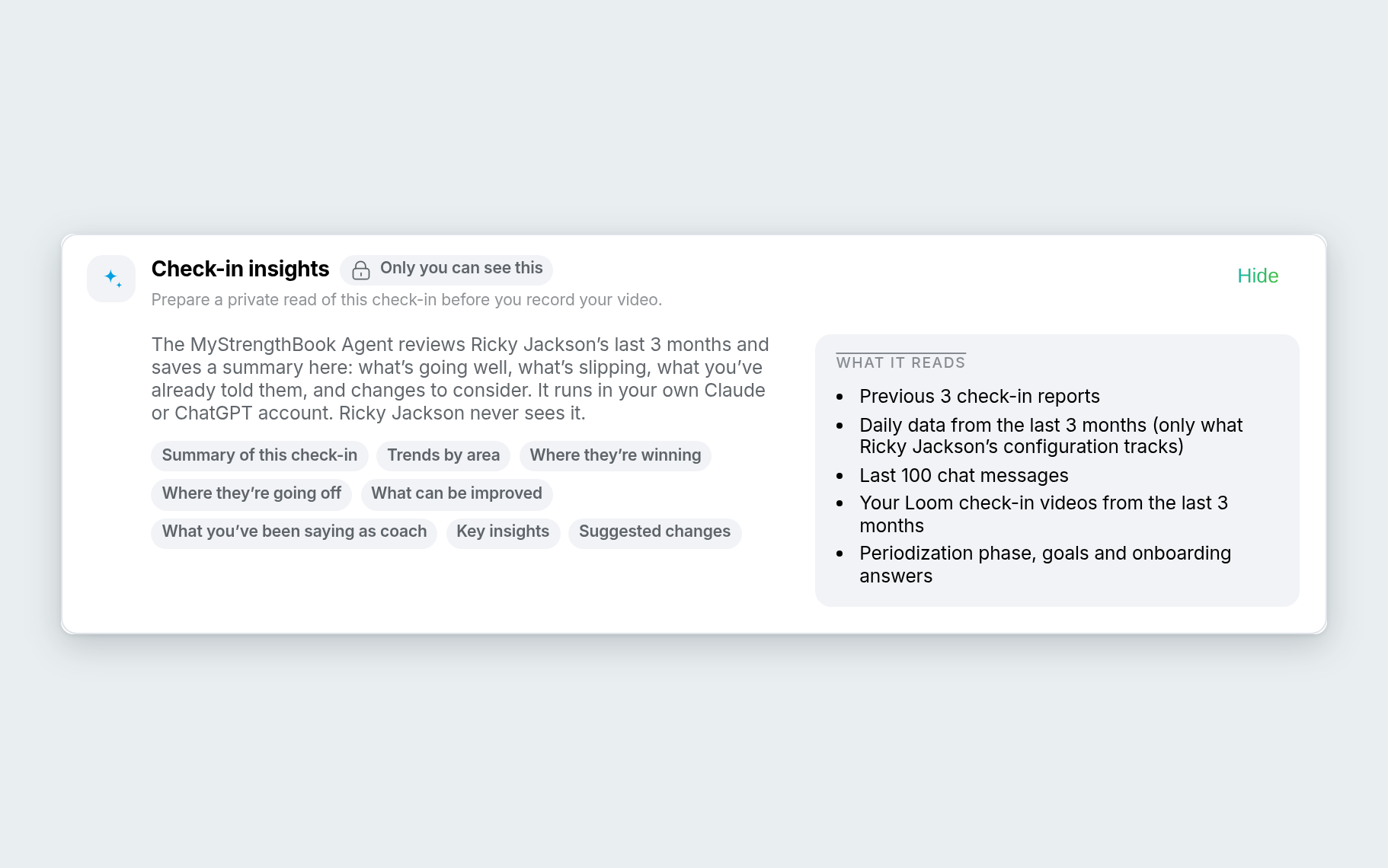
The sections, as the panel lists them.
The examples below are illustrative. They show the kind of point a section is designed to raise, in a coach's voice. They are not screenshots or real output, and Maya Torres is a made-up sample client. They are not client results or testimonials.
The big picture: Summary of this check-in and Trends by area
These two sections give you the shape of the check-in, and then the direction over time.
Illustrative: "I can see Maya's week at a glance, and whether this is a one-off or a pattern that has been building."
The good and the slipping: Where they're winning and Where they're going off
Your client's wins are as useful as the gaps. Knowing both lets you open the conversation well.
Illustrative: "I can open the video by naming what she is doing well, then get to the part that is slipping."
The way forward: What can be improved, and What you've been saying as coach
What can be improved looks forward. What you've been saying as coach reminds you of the guidance you have already given, so your next message builds on it instead of repeating it.
Illustrative: "Before I record, I can see what I already told her, so I do not contradict myself."
Key insights: where self-report and logs disagree
This is where a gap between what the client says and what the logs show can come up.
Illustrative: "Maya rates her nutrition at the top of the scale, but her logged food is under plan. That is worth a direct conversation."
For anything health-related, such as eating, weight or pain, treat an insight as a pattern worth checking with your client, not a diagnosis. It raises a question. You and your client work out the answer, and you refer out when something needs a professional.
Suggested changes: options for you to weigh
A short list of things you might consider. These are options, not orders.
Illustrative: "It suggests I reach out to Maya and think about easing her load for a short stretch. I will decide after I talk to her."
Does the coach stay in charge?
Yes. This is the point of the feature.
- Only you see it. The insights are a private read for the coach. The panel says your client never sees them.
- The insights are suggestions. Nothing in your client's plan changes unless you change it.
- You decide what to say. The agent reads and organizes. You bring what a spreadsheet cannot: your relationship with the client, and your judgment.
- Nothing goes to your client. The summary is saved on the client's page for you only. What you send your client is still up to you.
Check-in Insights puts more of the picture in front of you and leaves the decision with you.
How do I get Check-in Insights?
Check-in Insights is in early access, as part of the MyStrengthBook Agent private beta. To request it, tap MSB Agent in the top bar of MyStrengthBook and choose Request early access. We are opening a few more spots for MyStrengthBook coaches.
The MSB Agent button opens the Meet MyStrengthBook Agent window. It has a Private beta tag, a short video, a description of what the agent does today and a Request early access button.
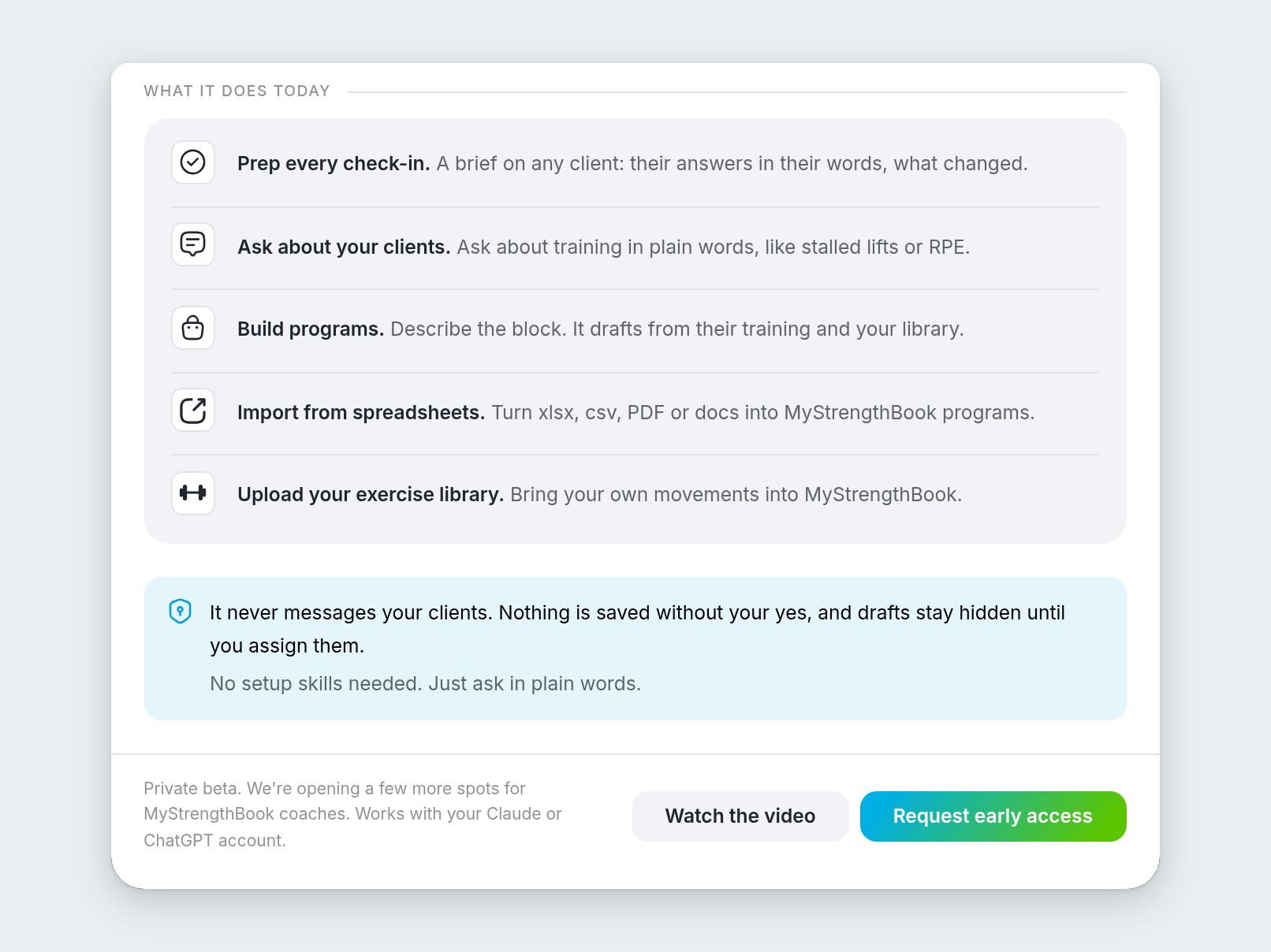
What the agent does today, with the Request early access button.
FAQ
What is Check-in Insights?
Check-in Insights is a feature of the MyStrengthBook Agent, found in the coach web app under Reports > Check-in Summary. It prepares a private read of a client's check-in, using their check-in history, daily data, chat and your Loom videos. You get it before you record your video.
Does Check-in Insights make coaching decisions for me?
No. It prepares the information, and you decide. The suggested changes are options to consider. Nothing in a client's plan changes unless you change it.
Can my client see the insights?
No. The panel carries an "Only you can see this" badge, and the in-app help says your client never sees it.
Does it message my clients?
No. Check-in Insights saves a private summary on the client's page for you, and your client never sees it. It does not change a client's plan either. Any change to a program, and any message to your client, is yours to make.
Is Check-in Insights available to everyone?
Not yet. It is in early access, as part of the MyStrengthBook Agent private beta. Tap MSB Agent in the top bar of MyStrengthBook and choose Request early access.


No email required
More from the blog


Your coaching deserves a smarter engine
Program, track, and analyze every client across training, nutrition, lifestyle, and education. Less admin, more coaching
Explore PULL ›