


Black Friday growth playbook for coaches
Black Friday isn’t just a single day, it’s the jumpstart to the most important stretch of the year.
As people reset goals, look for structure, and prepare for the holidays, coaches have a unique opportunity to grow fast and finish even stronger.
This playbook gives you the exact strategies top coaches use across PULL, PUSH, and PRESS to attract more clients, increase conversions, and re-engage past users before the year closes.
Build an Offer That Actually Converts
Black Friday + year-end momentum = the highest-converting window of the year.
The goal isn’t to slash prices, it’s to reduce friction and make your offer feel like an easy “yes.”
Here are the 3 simple levers every coach can use:
1.1 Smart Discounts (Keep It Clean)
Most coaches go too heavy.
You don’t need massive cuts, you need clarity.
High-converting formats:
% off the first month for program subscriptions
$ off the first block/package for 1-1
Value-adds instead of discounts: onboarding call, bonus module, check-in, etc.
⭐️ Offering smart discounts lowers the barrier without lowering your brand.
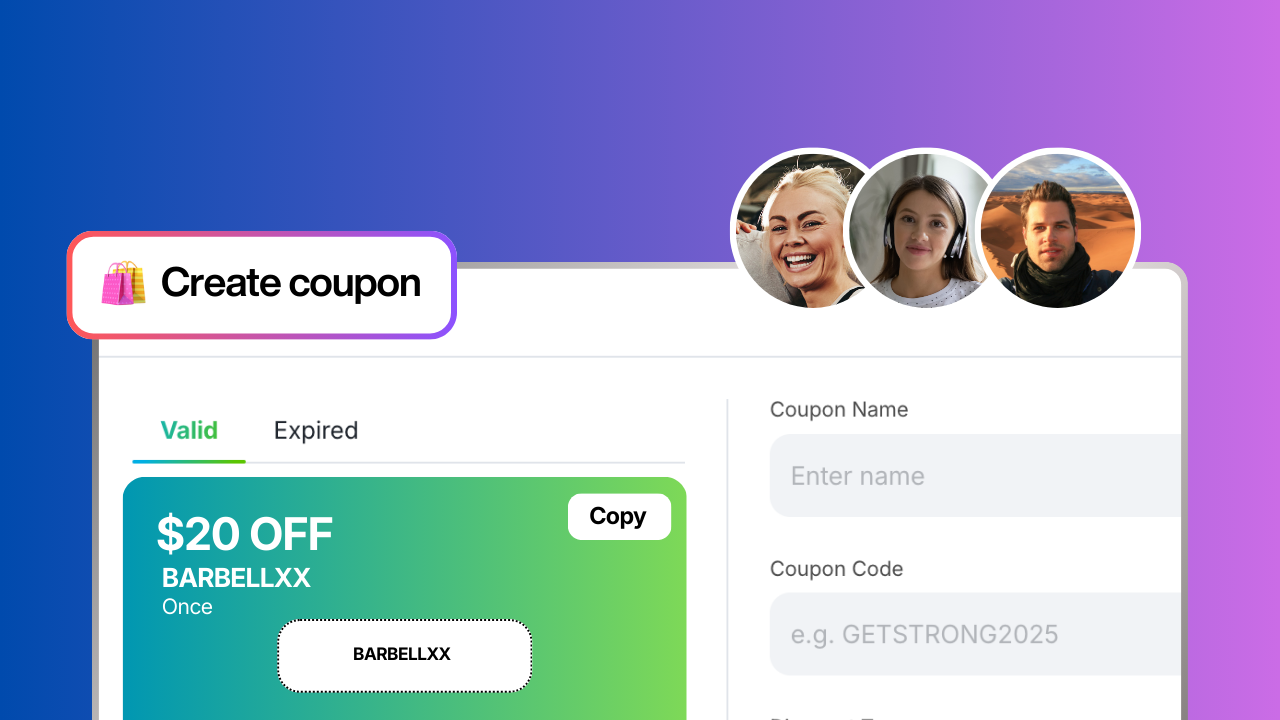
1.2 Coupon Codes With Purpose
A coupon is only effective if it drives action.
Use them to segment audiences:
Ambassador codes
48-hour “Black Friday Weekend” codes
Returning client codes
Low-friction trial-to-paid codes
Keep them simple:
Short, memorable, easy to apply.
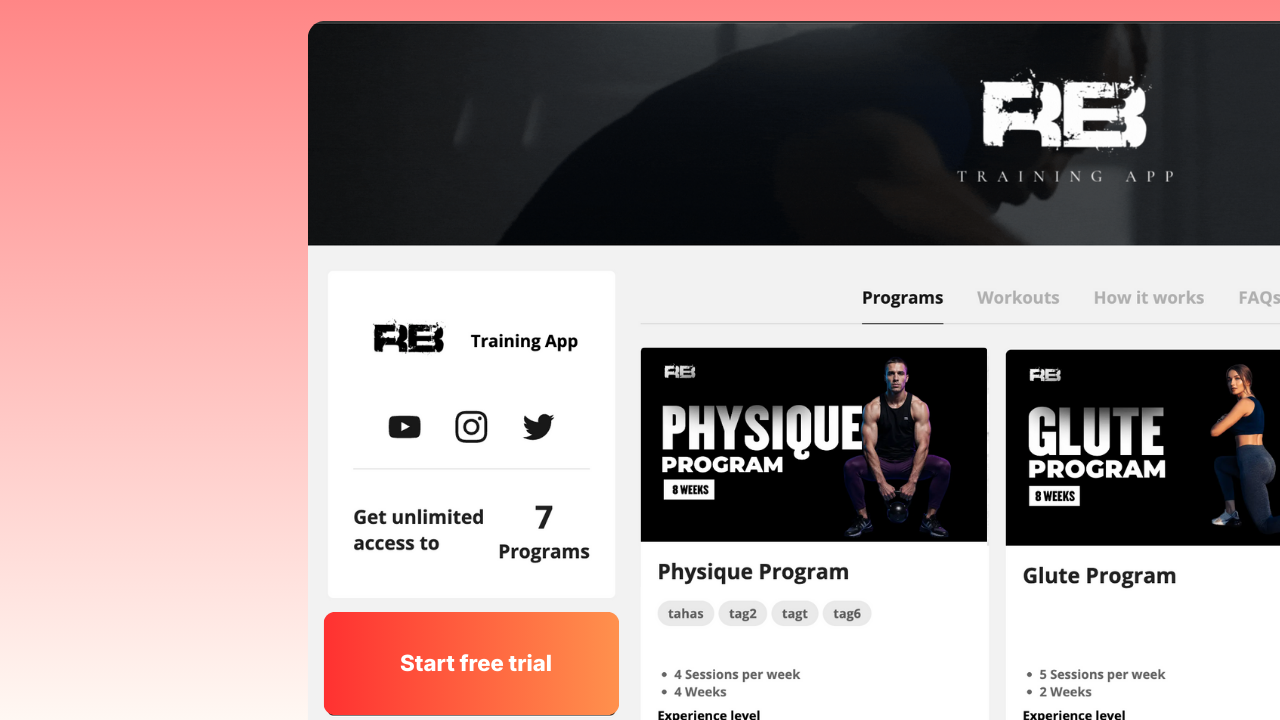
1.3 Free Trials That Actually Convert
Trials convert when they guide the user, not when they give away free training
The 3–7 day conversion formula:
Day 0: Welcome message + quick-start instructions
Day 1: First workout or assessment
Day 2–3: Check-in automation
Final day: Clear CTA to upgrade
Features of the free trial include
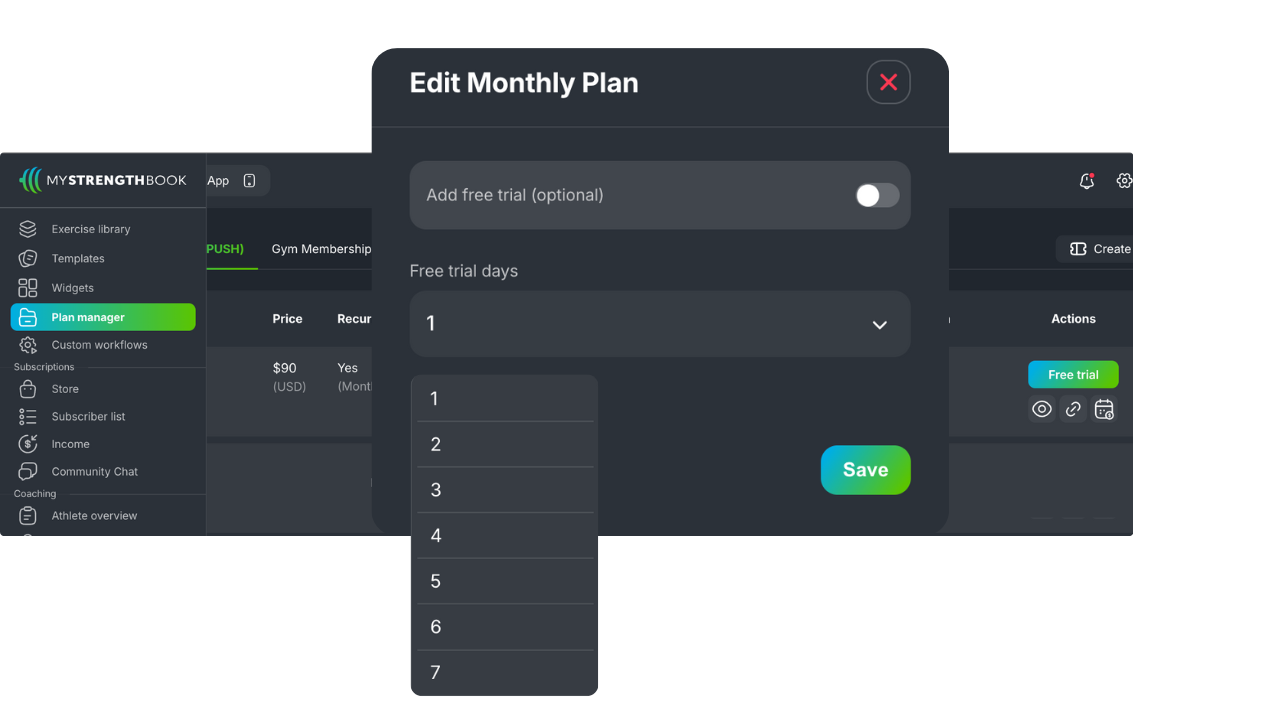
The free trial can be any amount of days between 1 and 30
Make it permanent or temporary to run a limited-time free trial
You can turn a free trial on or off at any time
Each plan (monthly and annual) can have its own free trial length
Free trials are optional for both plans (monthly/annual)
Coupon codes can be combined with a free trial
A free trial can only be used one time per customer
When a free trial is on, it automatically applies to all new subscriptions
The checkout still collects your customer's payment information and we make it very clear on how the trial works, how to cancel, and if/when they will be charged.
How it works for the subscriber
If a customer does not cancel their subscription before the trial ends, they will automatically be charged
If a customer sets their subscription to cancel before the free trial ends, they will not be charged and be locked out of the app after the trial ends
How to activate FREE TRIALS?
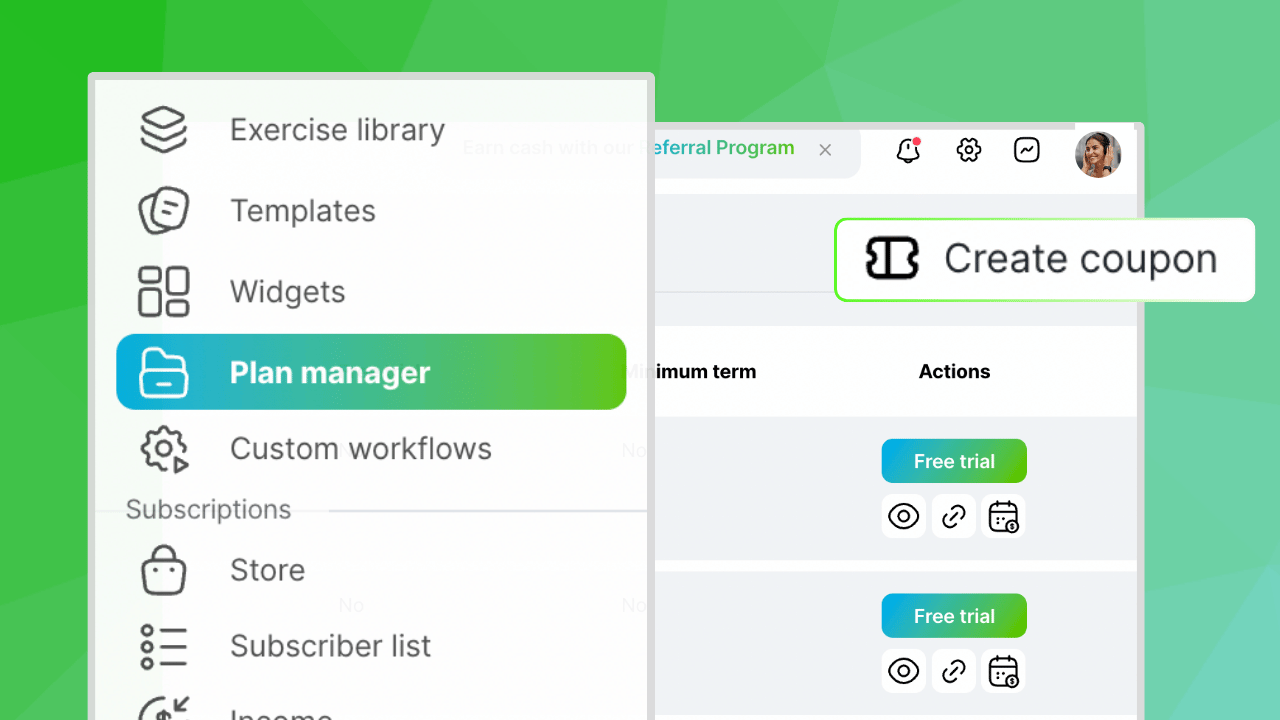
In order to activate free trials, just click on "Plan Manager" below the widgets section.
It will give you the option to set the number of days for the free trial as well as customize it for monthly and yearly subscriptions.
After you make the selection, hit publish!
⭐️ When you set up trial strategically people experience value and momentum before making a decision.
1.4 Anchor Everything to Year-End Momentum
The strongest offers speak to what people want right now:
Stay consistent through the holidays
Get structured before January
Finish strong → start strong
Build routine before New Year chaos hits
Use this framing:
“Join now and set your January up for success.”
How to create a coupon code (Step-by-step)
Want to attract more clients and increase your program sales? Now, you can create custom coupon codes inside your coaching app!
Go to “Plan Manager” and tap “Create Coupon”
Next Steps
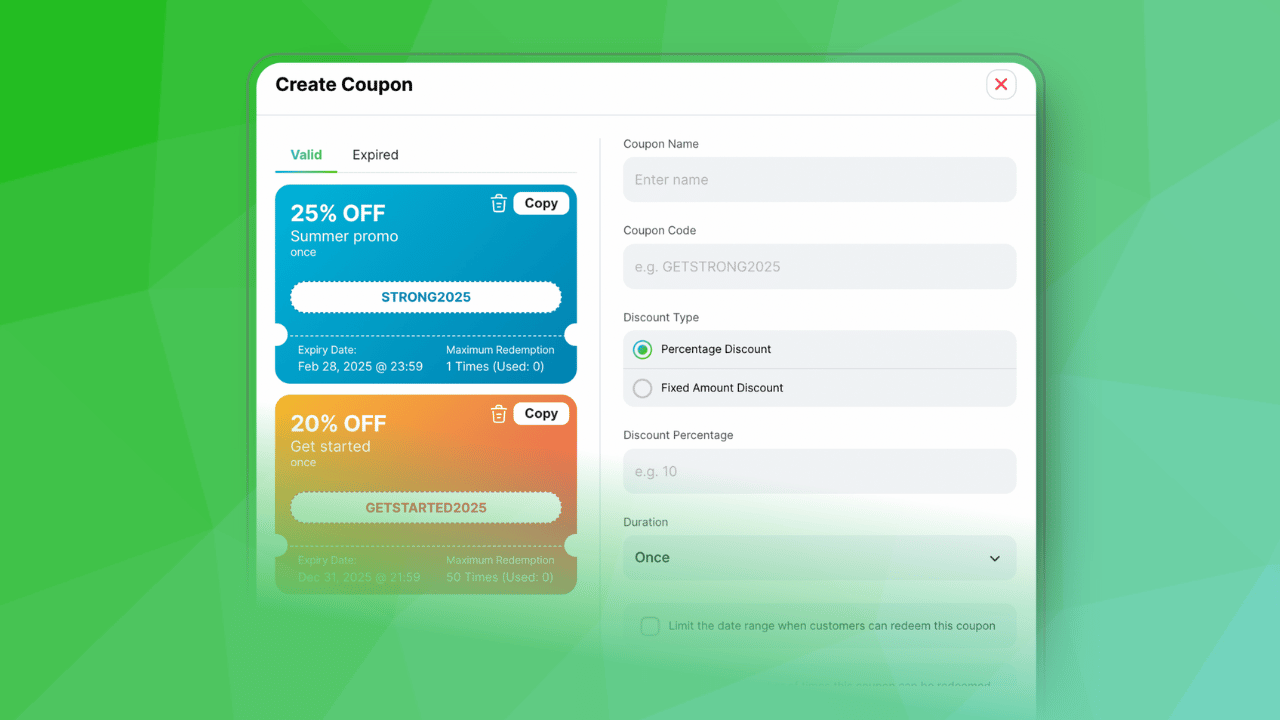
Name your coupon: This is the name that appears on the receipt that could be provided to your customer if you have that setting turned on
Coupon code: This is the code you will be sharing with your customers and it is case-sensitive. Make sure it's at least 5 digits long. You can also use numbers.
Choose a discount type: You can either do a Percentage discount or a fixed amount discount. Keep in mind that "Percentage discount" also applies to the annual subscription; so if you have a pre-built percentage off on the annual subscription, it will add to that as well. Sometimes is best if you want to do a 50% discount but only apply it to the monthly membership or subscription price, then, you just need to calculate what that value is and do a "Fixed amount discount"
Example: Just to give an example, a common promotion is: $1 for the first month and then going up to full price in the second month.
Something you can do here is to calculate how much the fixed amount would be.
Let's use the example of $30.
If you want to offer a coupon of $1 for the first month, then the discount you would create would be $29 and that would be applied only on the first month
Set the duration: By default, Stripe sets this "forever", which means the discount would apply to that user forever. So, if you add a 50% discount, they would get that month over month. This would work if you wanted to issue a lifetime discount. If that is not the case you have to switch it to Once or Multiple months
Redemption limits (Control how many times it can be used): It's always important to set a date range limit and a redemption limit, just in case the coupon code leaks.
For example, if you create a coupon code and don't want it to be used after a certain period of time you can put an expiry date on it
Create: When you click “Create” you will see the name of the coupon and all the details on the left side column of the screen. Click “Copy” and share the code with your audience!
Test before sharing
To test, go through your Storefront’s checkout page and put in a random email that is not associated with your account (You can literally type in anything as long as is in email format)
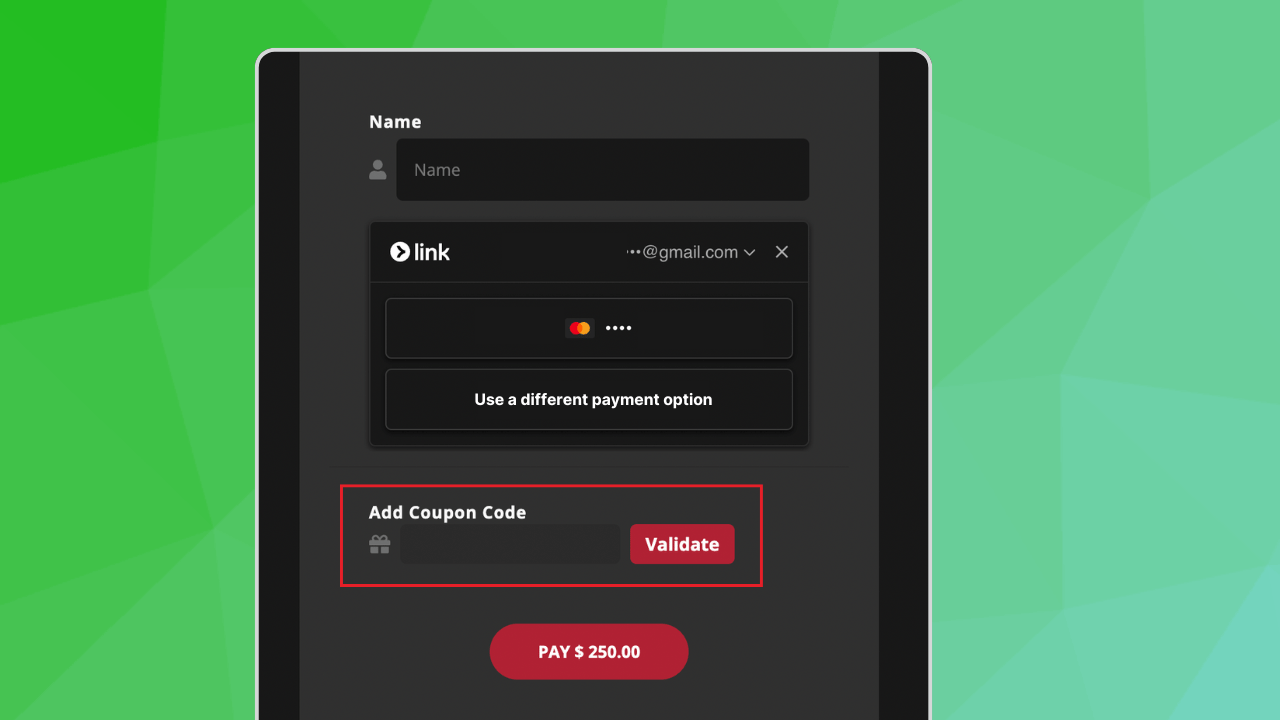
When you get to the billing screen, put in the coupon code and click "Validate"
Make sure that it takes the right amount of money in the total at the bottom.
There is no need to put your credit card number, you just have to validate the code.
If it works, you're good to go!
Upgrade Your App Experience
Once your offer is ready, the next lever is simple:
Make the app look and feel premium.
When your brand looks polished, conversions increase, especially with new eyes coming in during Black Friday + year-end.
Here are the highest-impact upgrades that take minutes, not weeks:
2.1 Refresh Your Branding
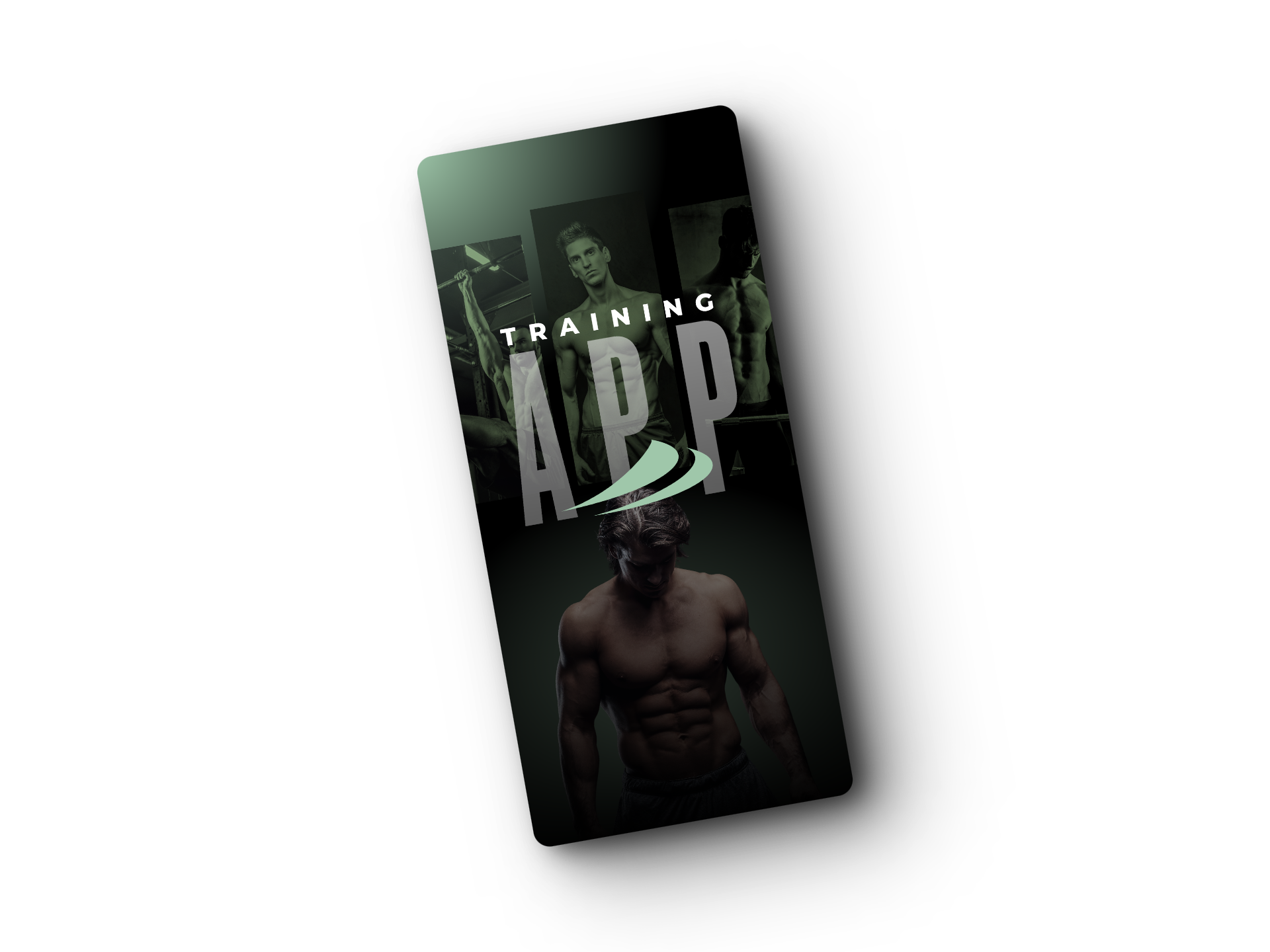
A clean brand boosts trust instantly. Focus on:
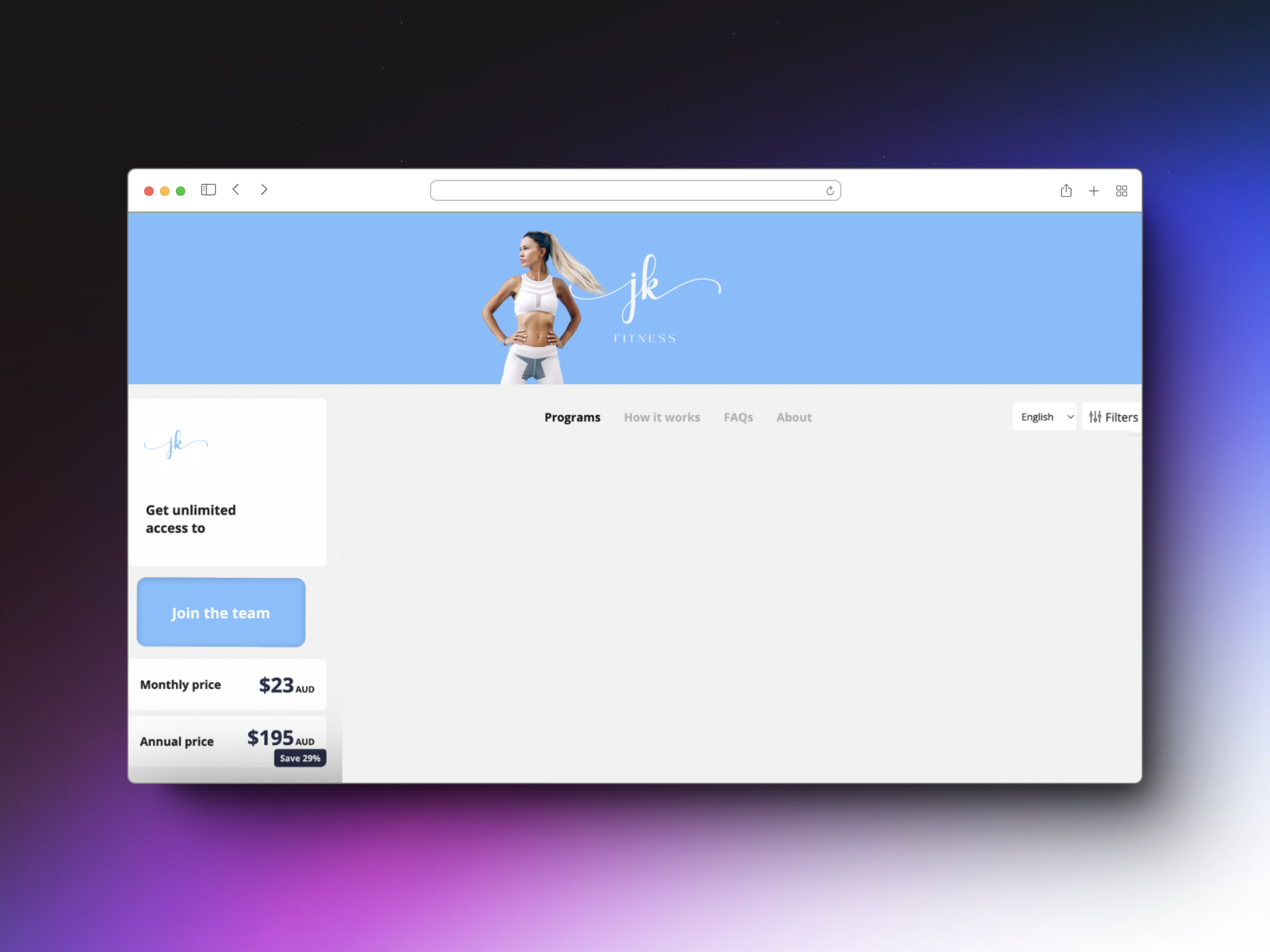
Updated Storefront banner
Modern app icon
Simple splash screen
Consistent colors + theme
People judge the quality of your coaching by the quality of your app design.
2.2 Optimize Your Storefront (Subscriptions)
Your Storefront is your “shop window.”
Small improvements = higher purchase confidence.
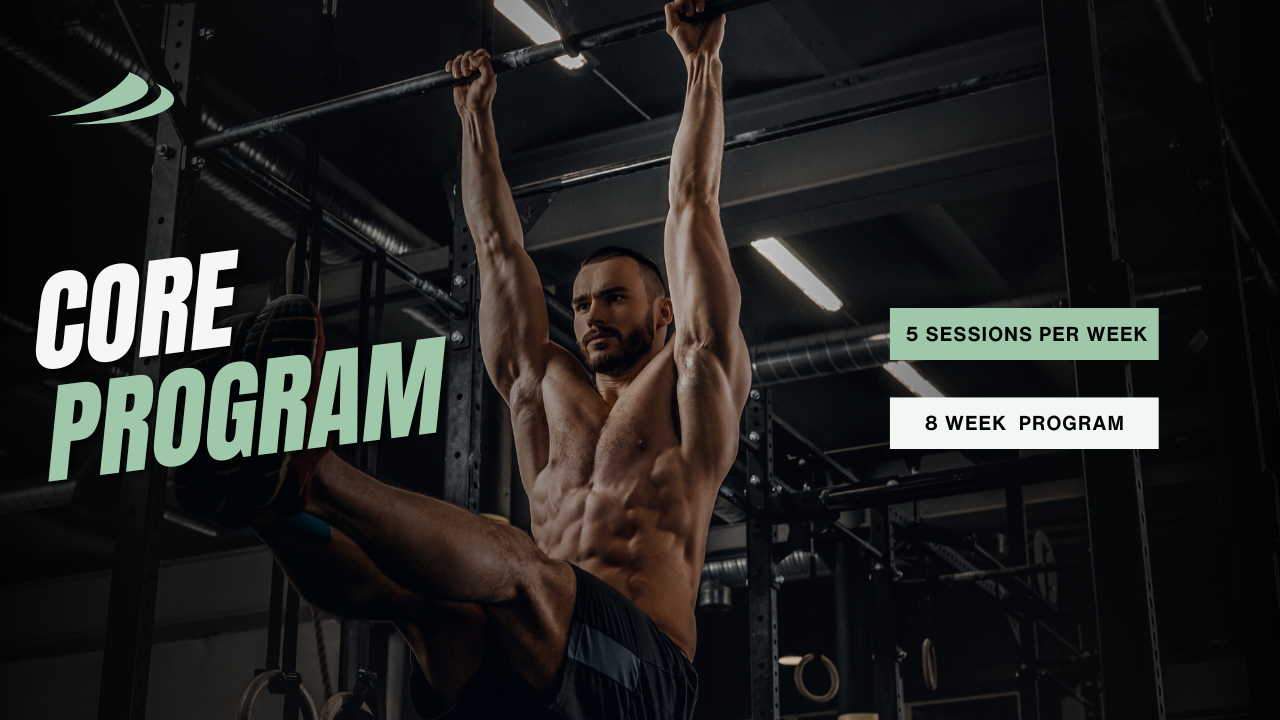
Add strong program descriptions
Use clear program thumbnails and brand colors
Add a short headline
Highlight your most popular program
Make it obvious what they’re buying and why it matters.
2.3 Increase Perceived Value With Widgets
Widgets instantly make your app feel like an all-in-one coaching ecosystem.
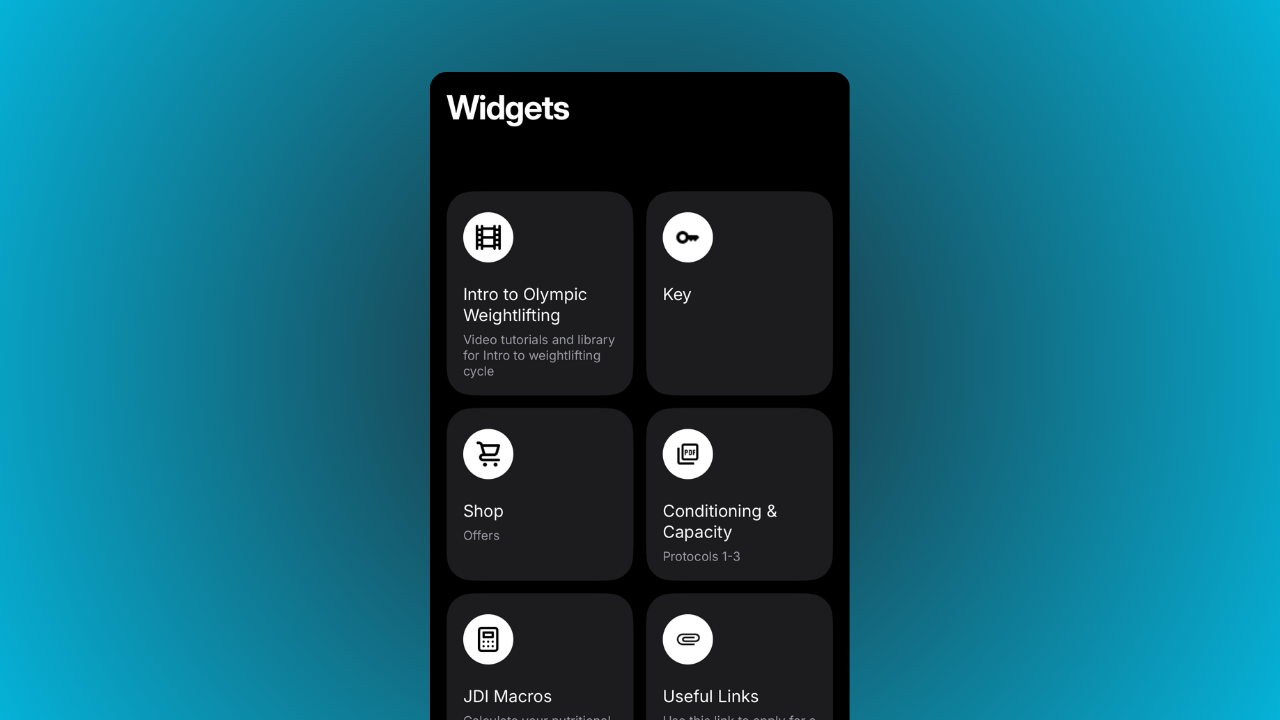
Quick wins you can add in minutes:
Meal plan
Calorie/macros calculator
Welcome video
Onboarding checklist
Accountability / habit tracker
Educational video bank
These make your app feel premium without creating more work.
2.4 Add a “Getting Started” Flow
High-converting apps guide users from day one.
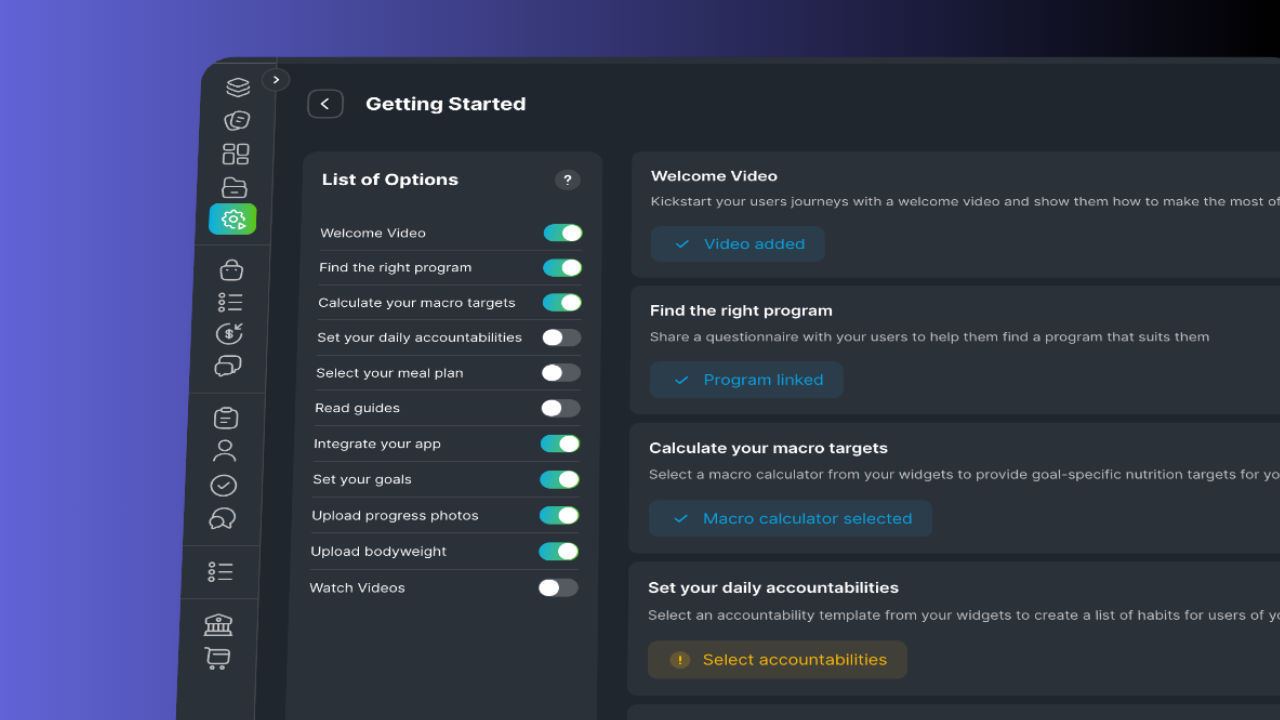
A simple onboarding flow can include:
Welcome video
Find the right program
Calculate your macro targets
Set your daily accountabilities
Select your meal plan
Read guides
Integrate your app
Set your goals
Upload progress photos
Upload body weight
Watch videos
Momentum = retention.
Reactivation Strategy (PUSH Users)
Your old subscribers are your easiest wins.
They already knew your brand. They already liked your content. They just need a nudge.
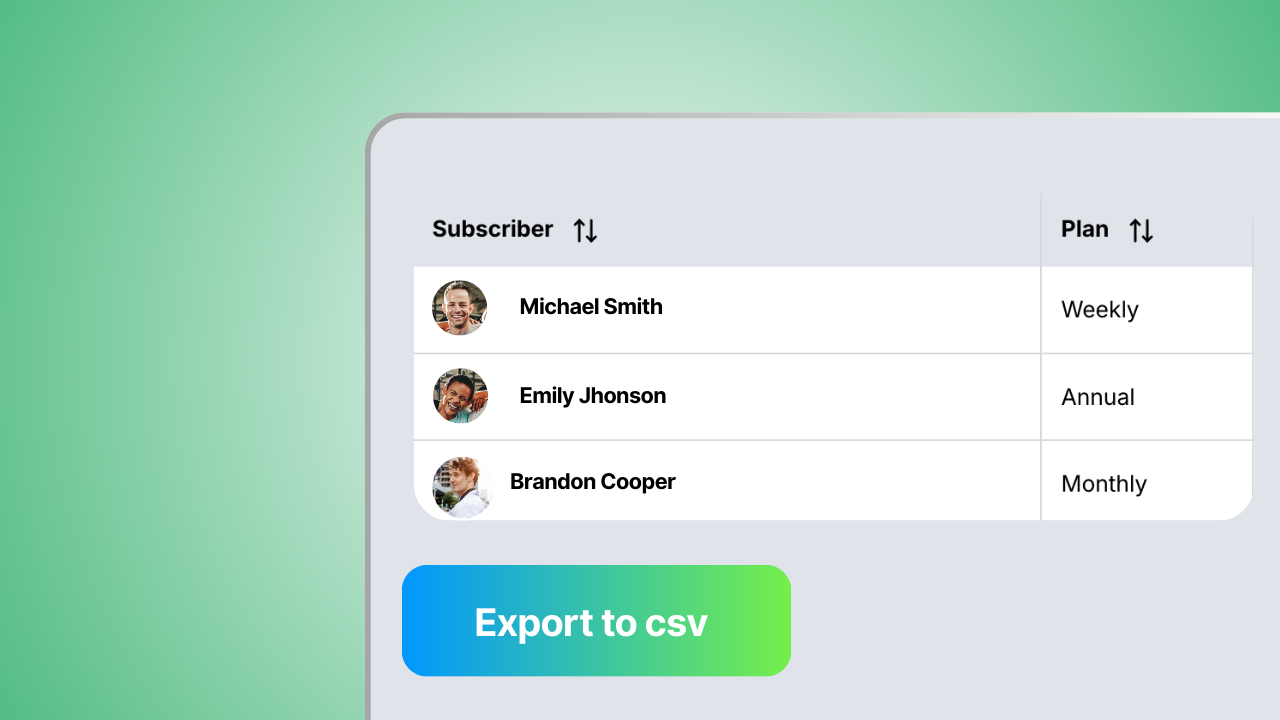
3.1 Export Your Churn CSV
Pull the list of everyone who canceled.
This becomes your re-engagement list.
3.2 Send a Simple “Come Back” Message
Keep it short and positive:
“Hey! We’ve made some big updates inside the app and we’d love to have you back.
Here’s a Black Friday offer if you want to jump in again.”
3.3 Offer Something Easy to Say Yes To
A “returning subscriber” discount
A free trial to explore the updates
Access to a new program you’re dropping
December/January challenge invite
This list is pure gold. Don’t ignore it.
Community, Engagement & Referrals
Before Black Friday hits, warm your audience up.
People buy from coaches they feel connected to.
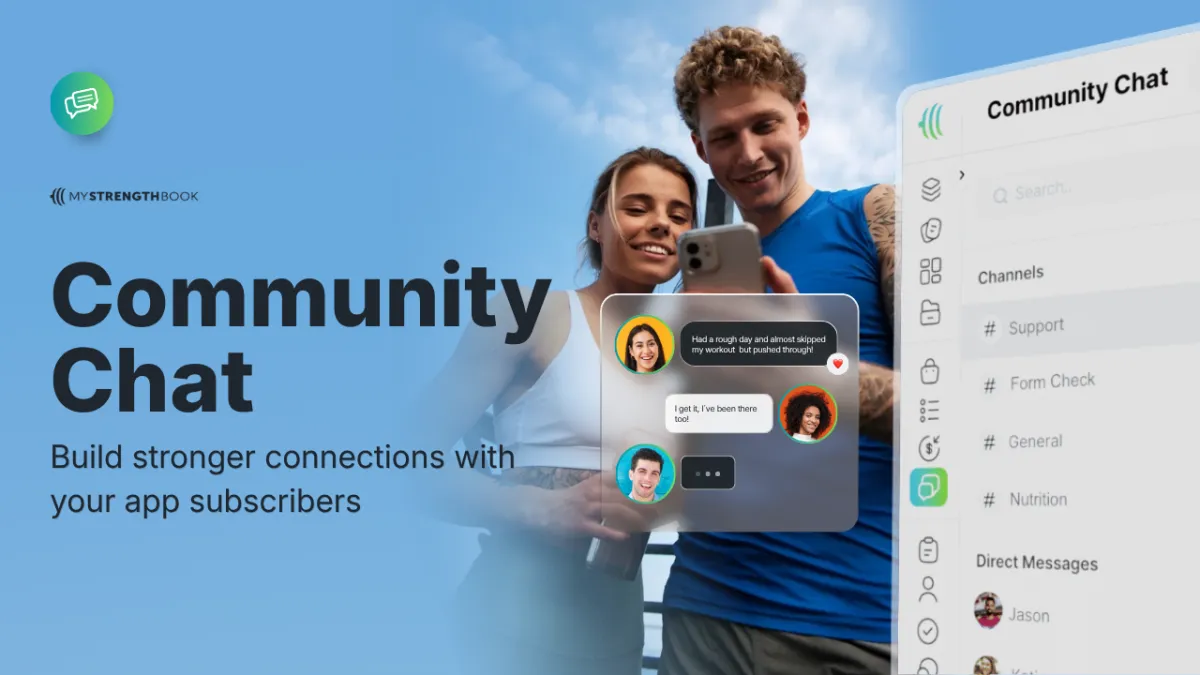
4.1 Community Chat (PUSH)
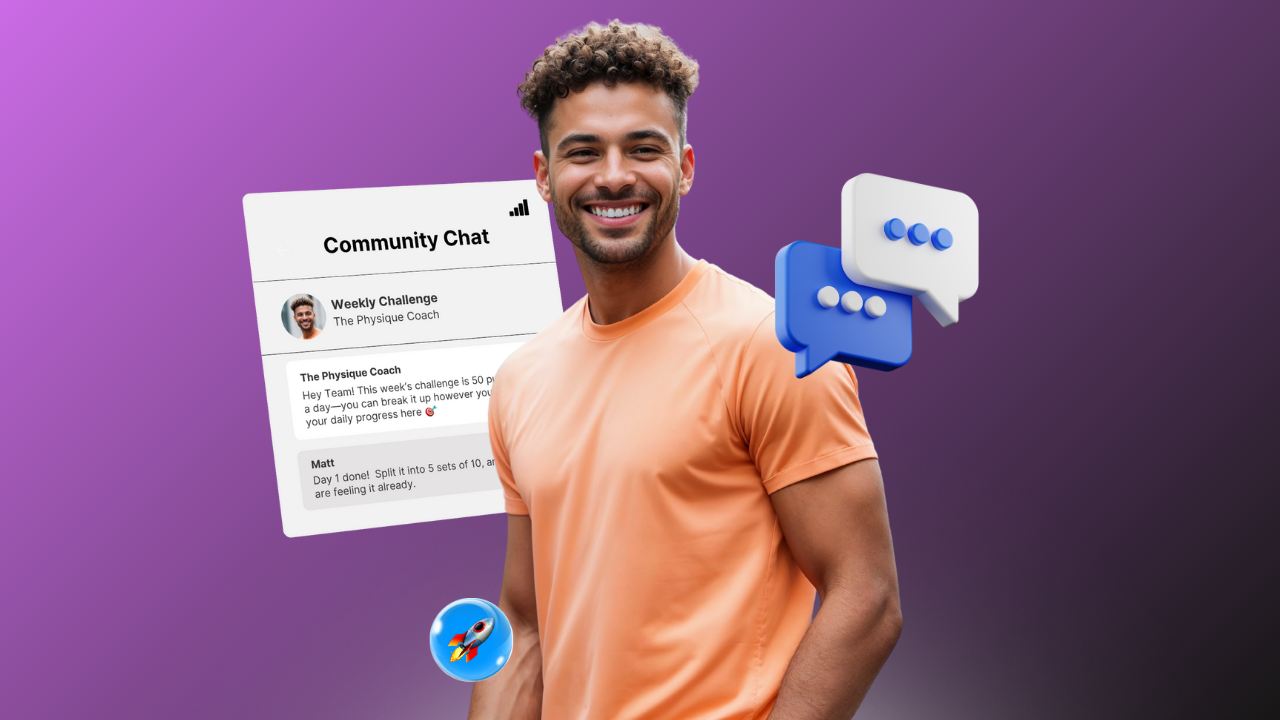
Start simple:
“What’s your biggest goal to finish the year strong?”
“Drop a win from last week.”
“Anyone training today?”
Small prompts → big activity → more sales.
4.2 Micro-Engagement on IG
Use stories to spark momentum:
Polls
Question boxes
“This or that” workouts
Behind-the-scenes of your programming
The goal is familiarity, not selling.
4.3 Refer a friend
People love sharing brands they trust.
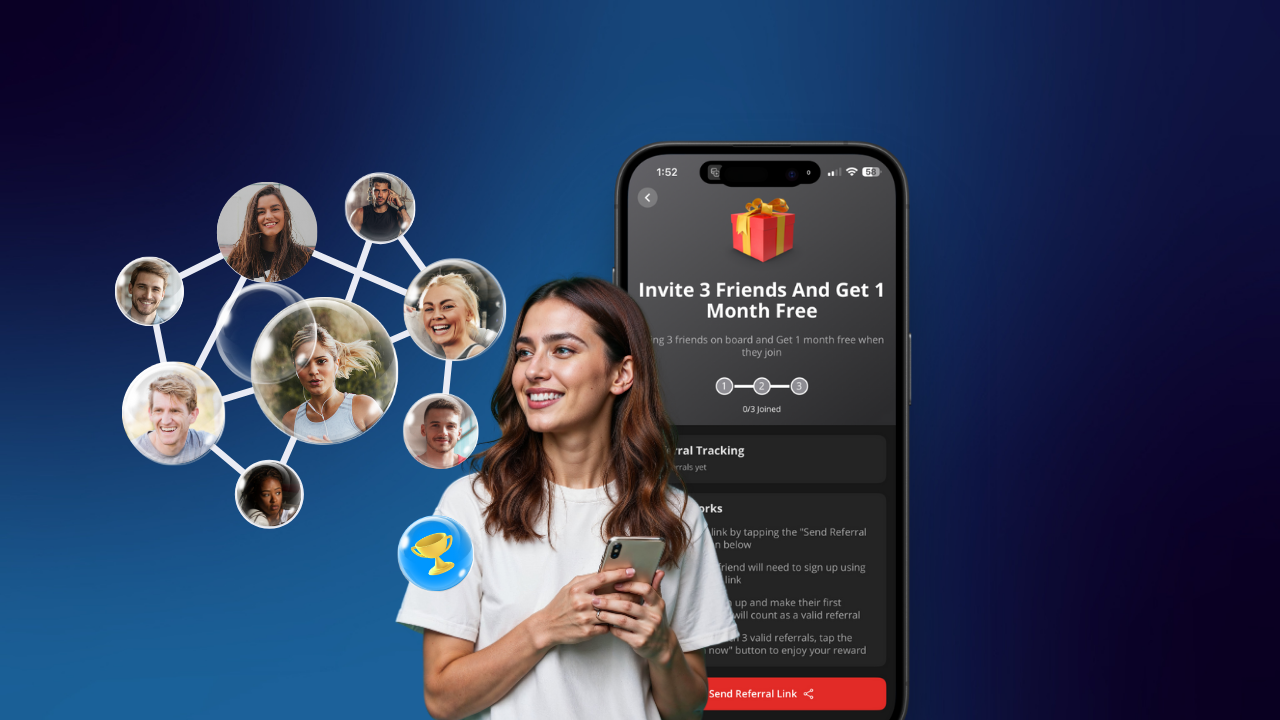
Make it effortless:
“Refer a friend during Black Friday and you both unlock a free week inside the app.”
Low cost to you. Huge value to them.
How it works:
Refer-a-Friend Feature Guide (Step-by-step)
The Refer-a-Friend feature lets your subscribers earn free time on their subscription by inviting friends to join your app. It’s a fully automated growth tool that drives new subscribers while keeping your current ones engaged—no tracking or manual work required from you.
Why It’s Powerful
🚀 Passive subscriber growth – your app spreads through word of mouth.
🔁 Improved retention – subscribers have a reason to stick around longer.
💸 Zero admin work – we track everything automatically.
📈 Built-in virality – every subscriber becomes a growth channel.
What Subscribers Get
Your subscribers earn free time on their current plan when their friends become paying users.
Here’s the breakdown based on their subscription plan:
Weekly plan → 3 referrals = 3 weeks free
Monthly plan → 3 referrals = 1 month free
Quarterly plan → 6 referrals = 3 months free
Annual plan → 10 referrals = 1 full year free
How Clients Access It (In the App)
Step-by-step:
Open the app
Tap the profile icon (top right corner)
Select “Refer a Friend”
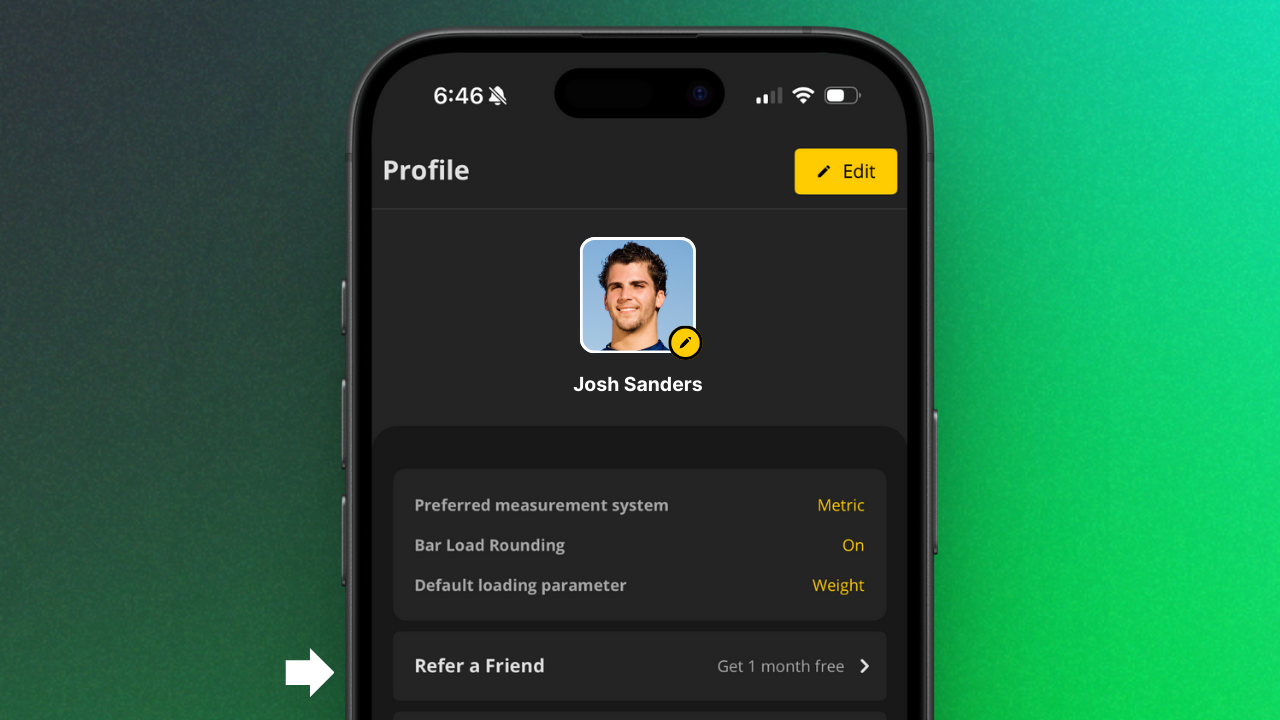
Inside, they’ll see:
A referral progress tracker (steps 1, 2, 3)
Clear “How it works” instructions
A “Send Referral Link” button
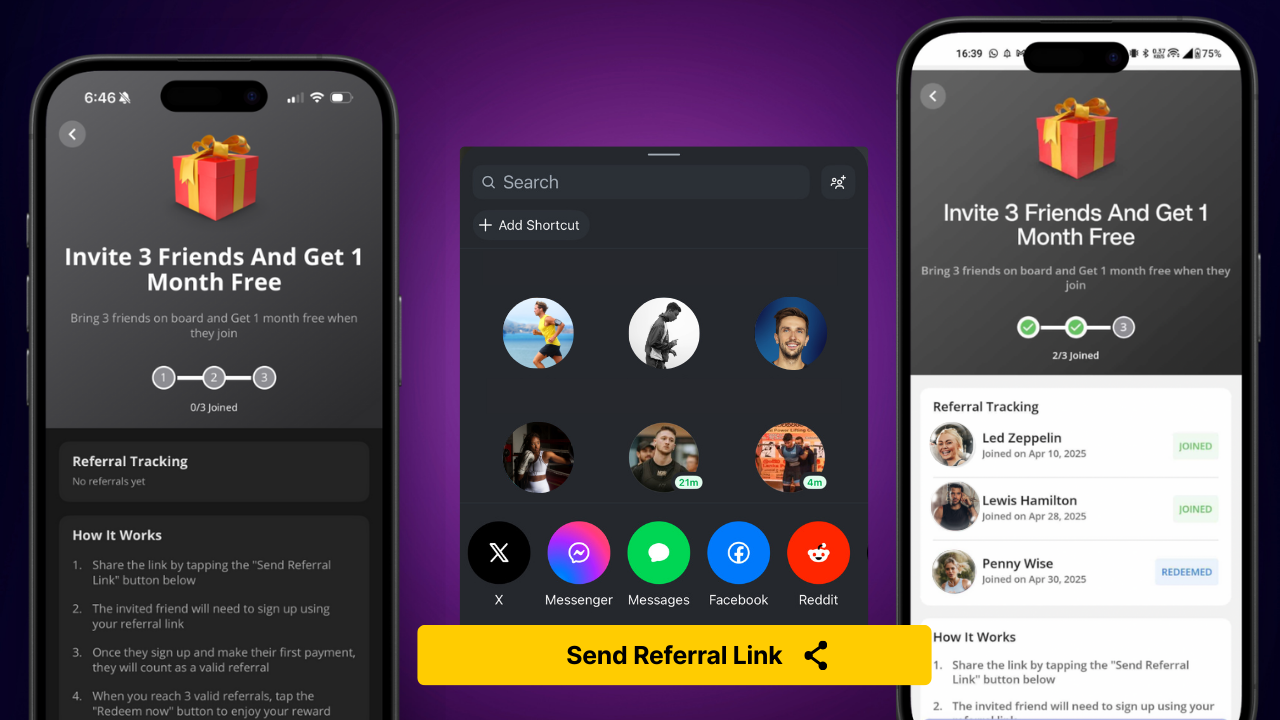
What Clients Will See: "How It Works"
Share the link by tapping the “Send Referral Link” button
The invited friend must sign up using that link
Once the friend pays for their subscription, the referral becomes valid
When they hit the required number of valid referrals, they can tap “Redeem Now” to claim their reward
💡 The reward they unlock is based on their own current subscription plan.
Reduce Churn With Automated Failed Payment Emails
Don’t let preventable churn eat into your end-of-year growth.
When a subscriber’s payment fails, Stripe gives them a 14-day grace period (you can customize this in your settings). If they update their payment method during that time, they keep access to your app.
But if the issue isn’t resolved, their access will be automatically revoked and they’ll need to resubscribe via your Storefront.
👉 Pro Tip: Set up automatic failed payment emails in Stripe to remind subscribers before and after a payment fails. These quick reminders can make the difference between saving a client or losing them for good.
Configure the steps you’d like to take when charging a subscriber’s payment method fails:
Click on settings

Click on business
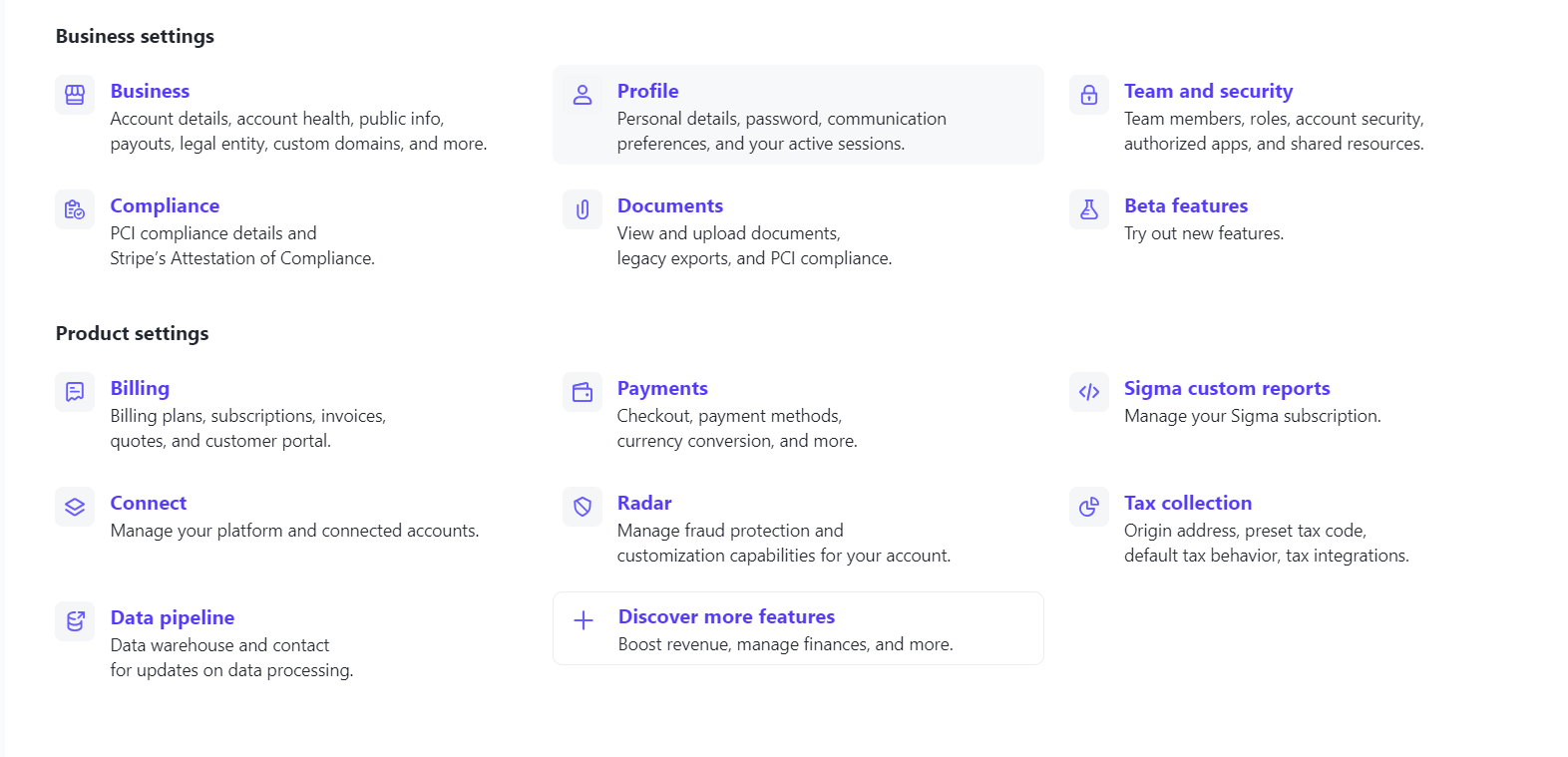
Click on customer emails

-Click on billing settings
-Scroll down, find the “manage failed payments for subscriptions
-Turn on the toggle for customer emails
-Select “Use your own custom link
-Add the link to your Storefront there
OPTION #2
Simply navigate to this link after logging into Stripe
https://dashboard.stripe.com/settings/billing/automatic
-Scroll down, and find the "Manage failed payments for subscriptions"
-Turn on the toggle for "Customer emails"
-Select "Use your own custom link"
-Add the link to your storefront here
Black Friday → Year-End Launch Plan
A simple, clean timeline to help coaches stay organized without feeling overwhelmed.
5.1 Pre-Launch (3–5 Days Before)
Tease that something is coming
Add branding updates in the app
Get coupon codes + trial settings ready
Warm up your community with prompts
5.2 Launch Day
Post your main offer
Email your list
Add a story highlight
Pin your most popular program (PUSH)
5.3 During the Sale
Share a client win
Show behind-the-scenes of your app
Remind people of the deadline
Repost stories from subscribers
5.4 After the Sale
Send a thank-you message
Guide new signups with a “Getting Started” workflow
Drop a “Welcome to the December group” post
Set up accountability widgets for retention
Momentum now → strong January.
Support & Next Steps
You’re not doing this alone. MSB has your back.
6.1 Need Branding Help?
You can request professional support right inside your dashboard.
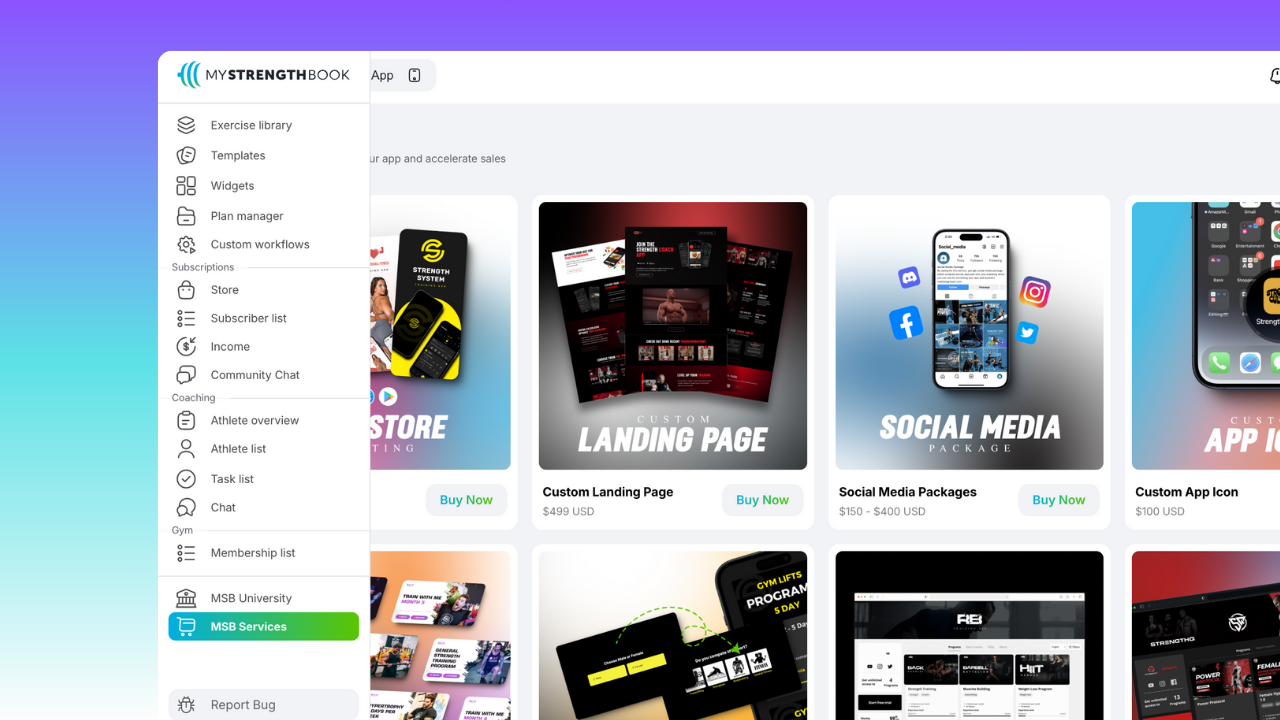
In the MSB Services tab, you can get help with:
App icon updates
Storefront banner redesigns
App color polishing
Program thumbnail design
Landing page builds
Custom App Store listings
Full Storefront refreshes
If you want any of these done for you, just open MSB Services and submit the request.
6.2 Need Personal Guidance?
Book a quick strategy call.
We’ll walk through your setup and offer ideas specific to your brand.
Contact us:
If you have any questions or want to share any feedback, feel free to email us at:


No email required
More from the blog

Your coaching deserves a smarter engine
Program, track, and analyze every client across training, nutrition, lifestyle, and education. Less admin, more coaching
Explore PULL ›