


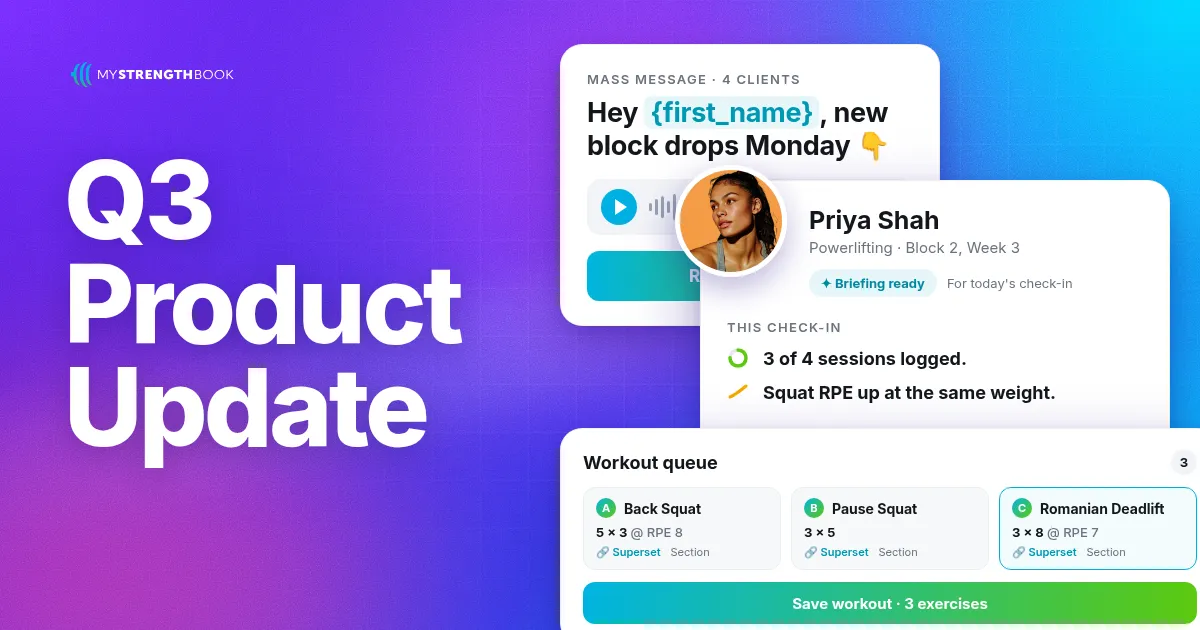
Q3 Product Update
Here's everything we shipped in MyStrengthBook this quarter, across coaching, the client app, subscriptions, gym management and scheduling, plus a look at what we're building next.
PULL coaching and general platform updates
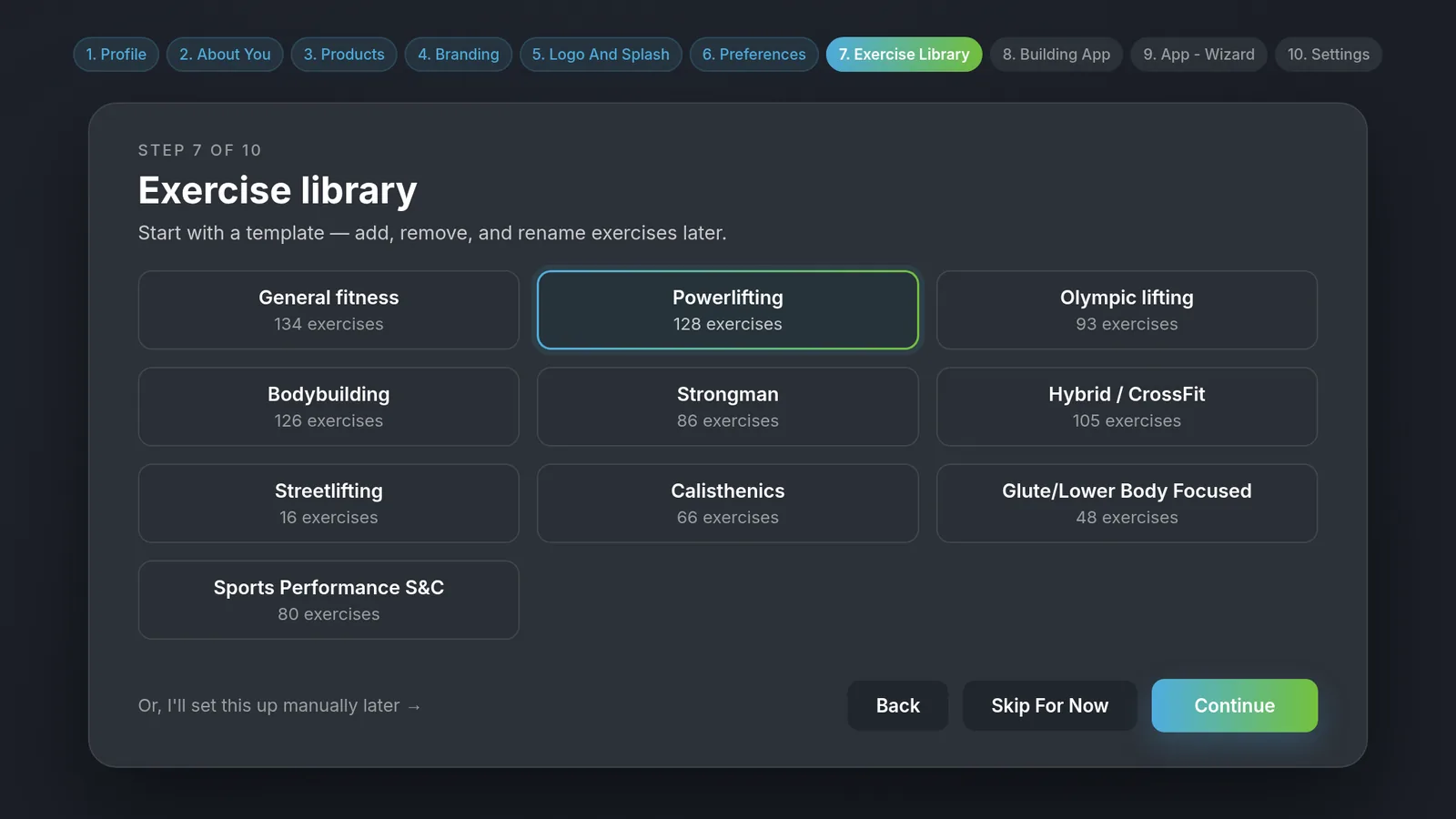
New coach onboarding: Set up your branded app in one guided workflow. It covers your profile, products, branding and a starter exercise library, then drops you in ready to go.
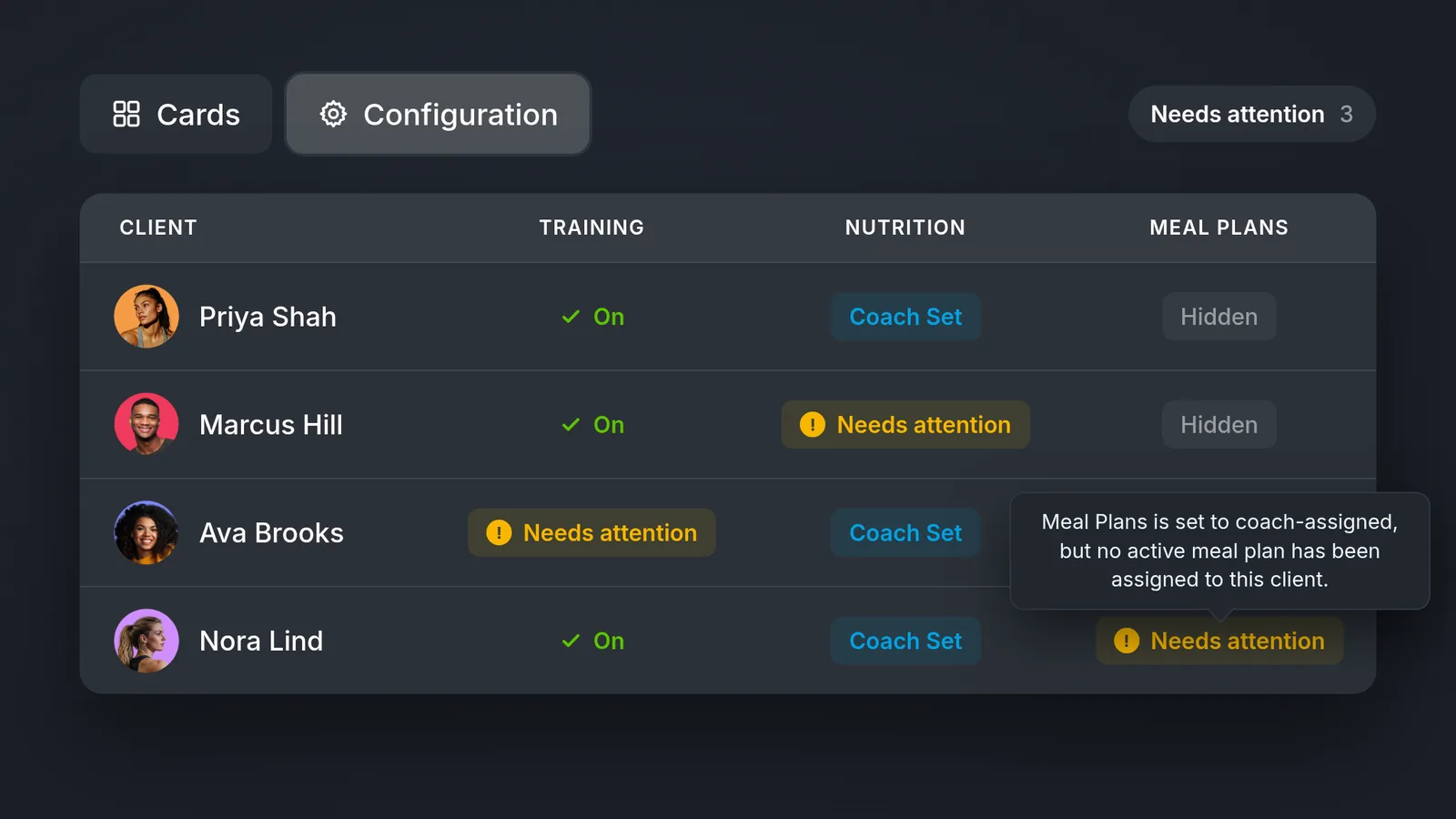
Client Configuration: Set up each client's daily dashboard in one place, choosing their training, nutrition, meal plans, habits, goals and tracking. Save setups as templates to reuse.
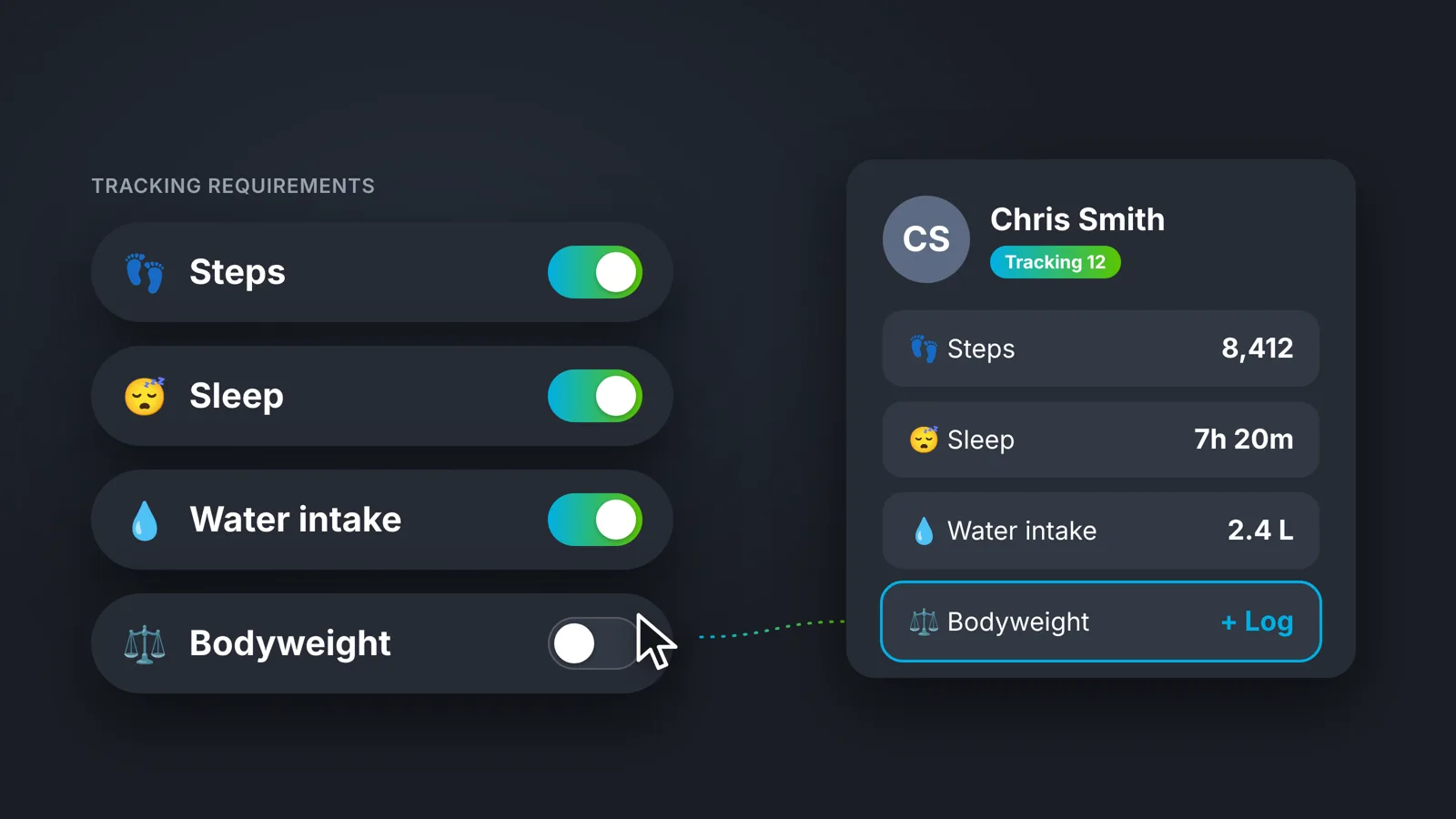
Custom default configuration templates: Every client starts from your ready-made setup instead of a system default.
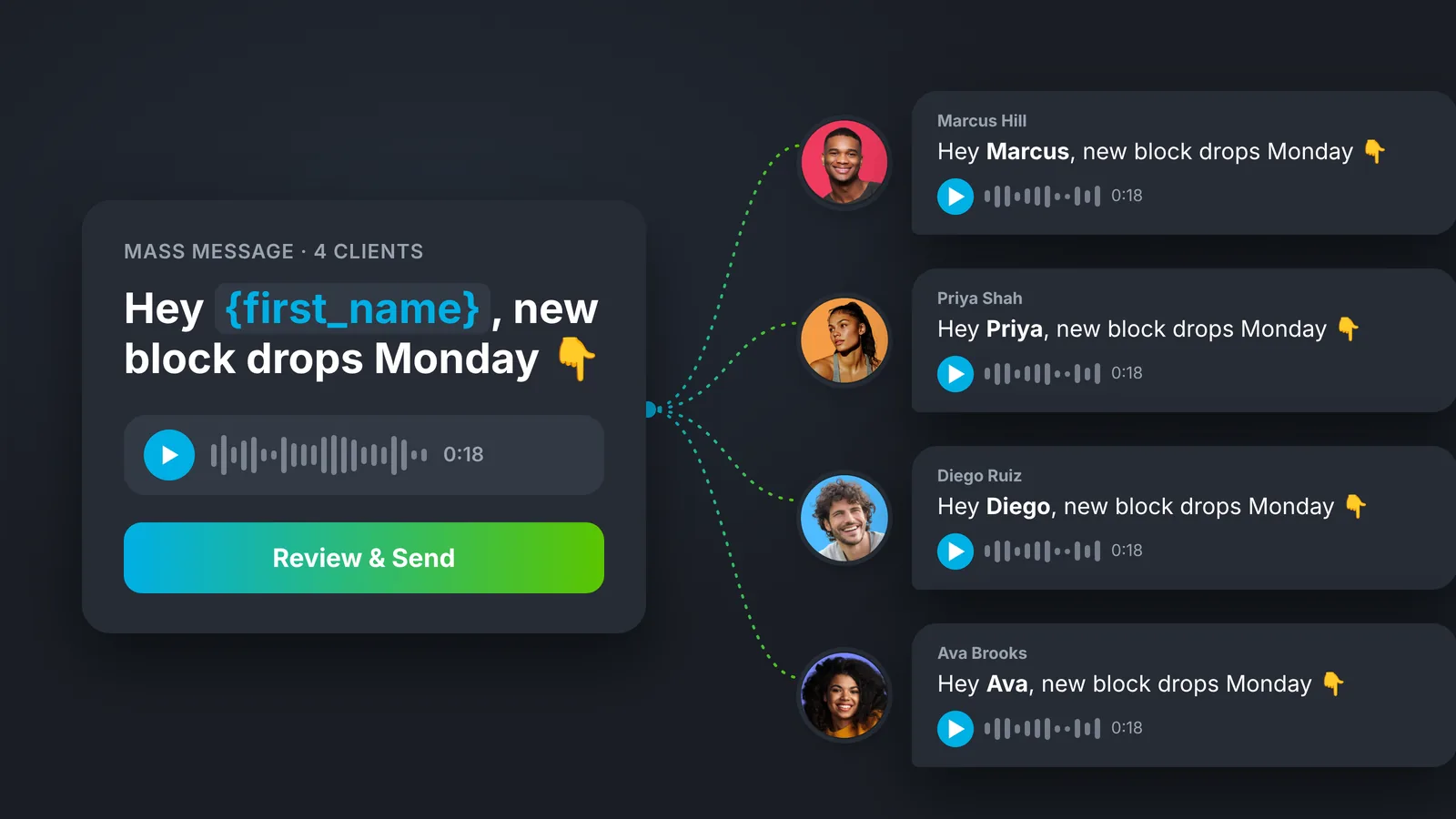
Mass Message: Message all your clients, a group or a hand-picked list in one go, with first-name personalization, audio and files.
Athlete list view: Switch to a compact list to scan your clients faster and see at a glance who needs a program, nutrition targets or a meal plan.
New calendar week view: Redesigned so you spot trends faster. A new edit mode lets you program right from the calendar, and REL badges from Block Review show there too.
Actual results in the calendar: See what your client actually lifted next to what you prescribed.
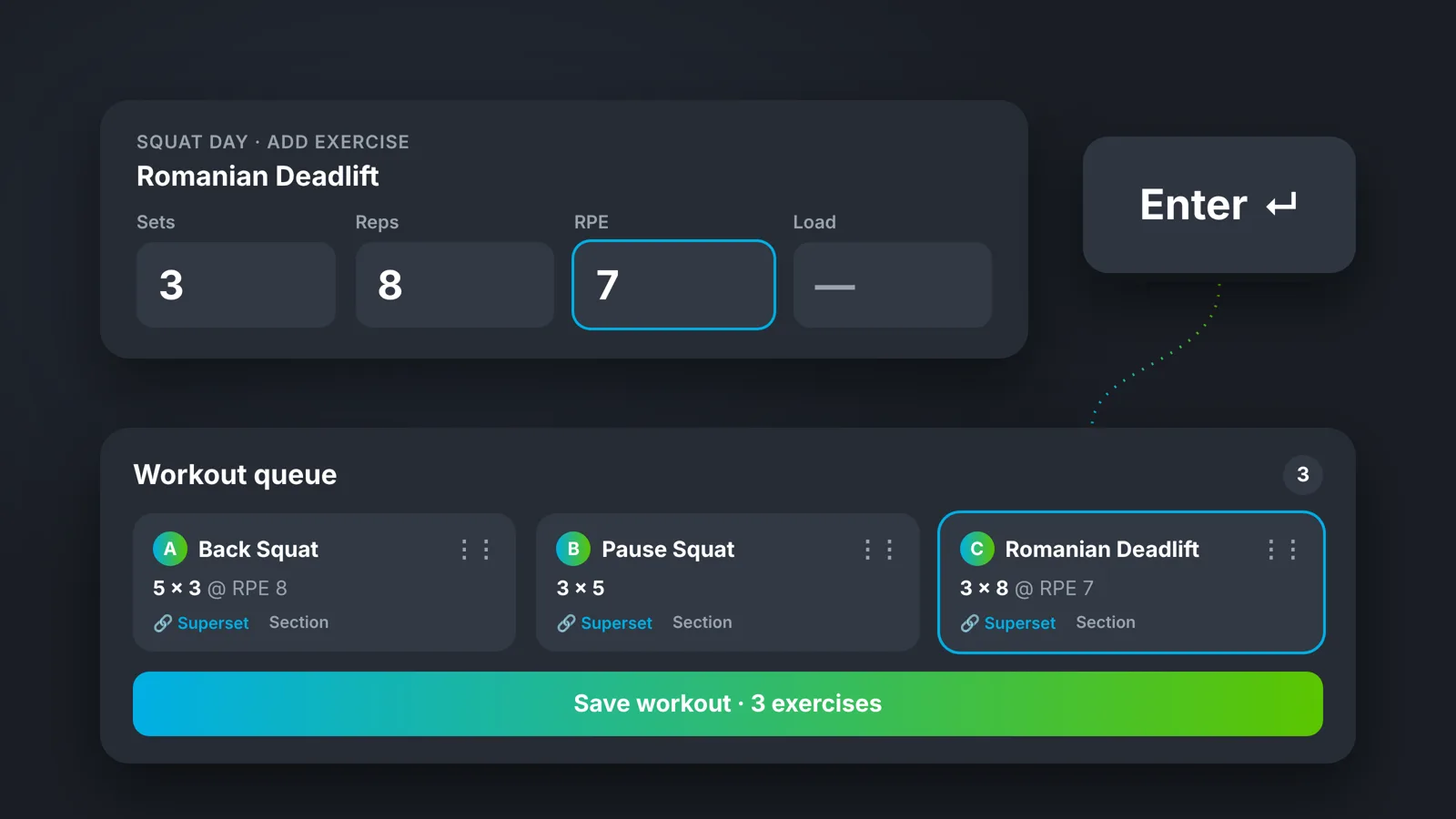
Workout queue: Build a whole workout from the keyboard, adding exercises, sections and supersets, and save it in one go.
Rich text exercise instructions: Format your exercise cues so they're easier for clients to read.
Saved Workout folders: Sort your saved workouts into folders.
Library updates flow into programs: When you edit an exercise's video, muscles or instructions, every programmed instance from today forward updates to match.
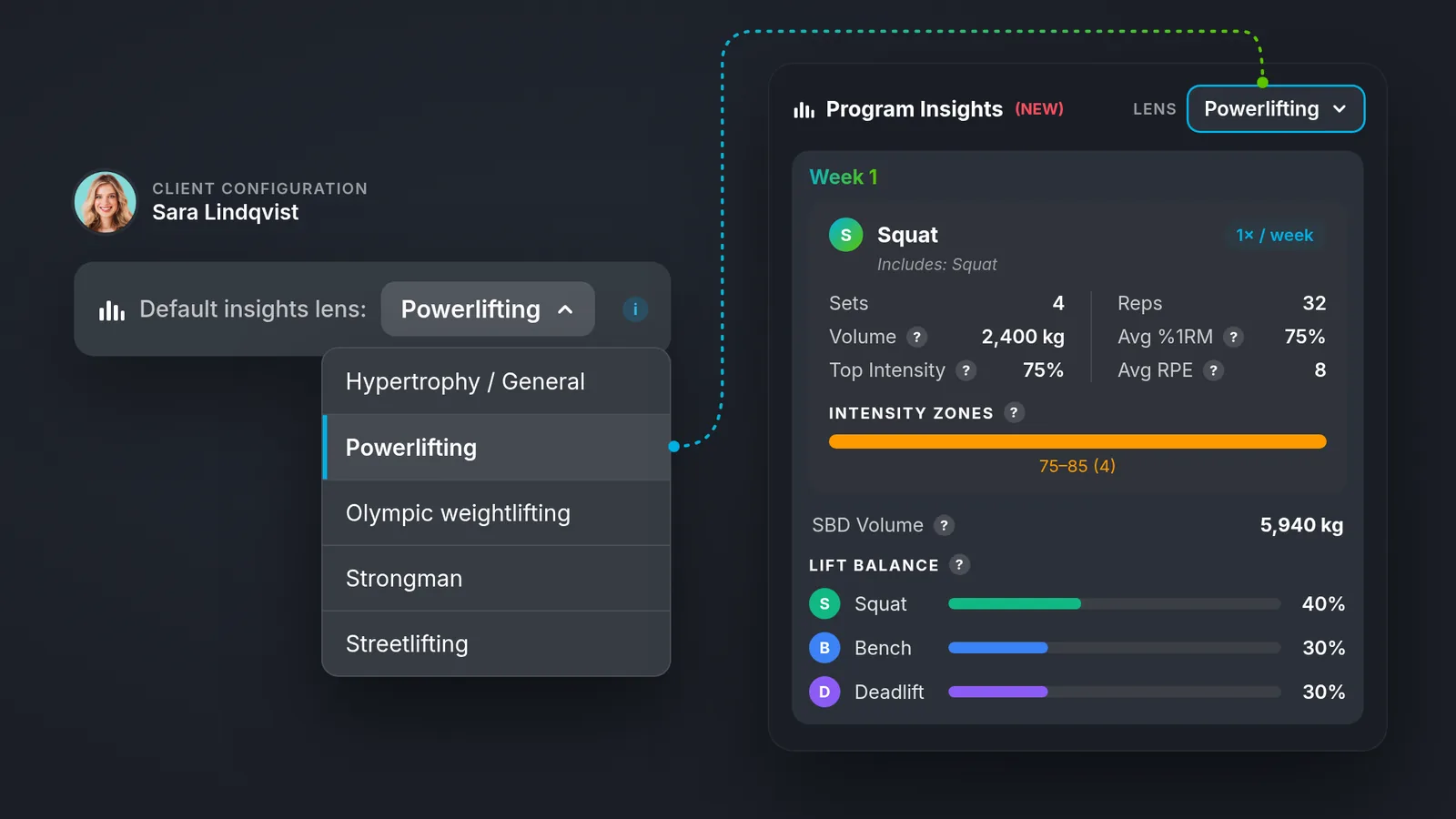
Default program insights lens: Set a default insights lens for each client, and the program builder metrics use it. Reporting matches their training focus, whether that's hypertrophy, powerlifting, Olympic weightlifting, strongman or streetlifting.
MyFitnessPal direct integration: Clients connect MyFitnessPal directly, and you see the individual foods they logged, not just daily totals.
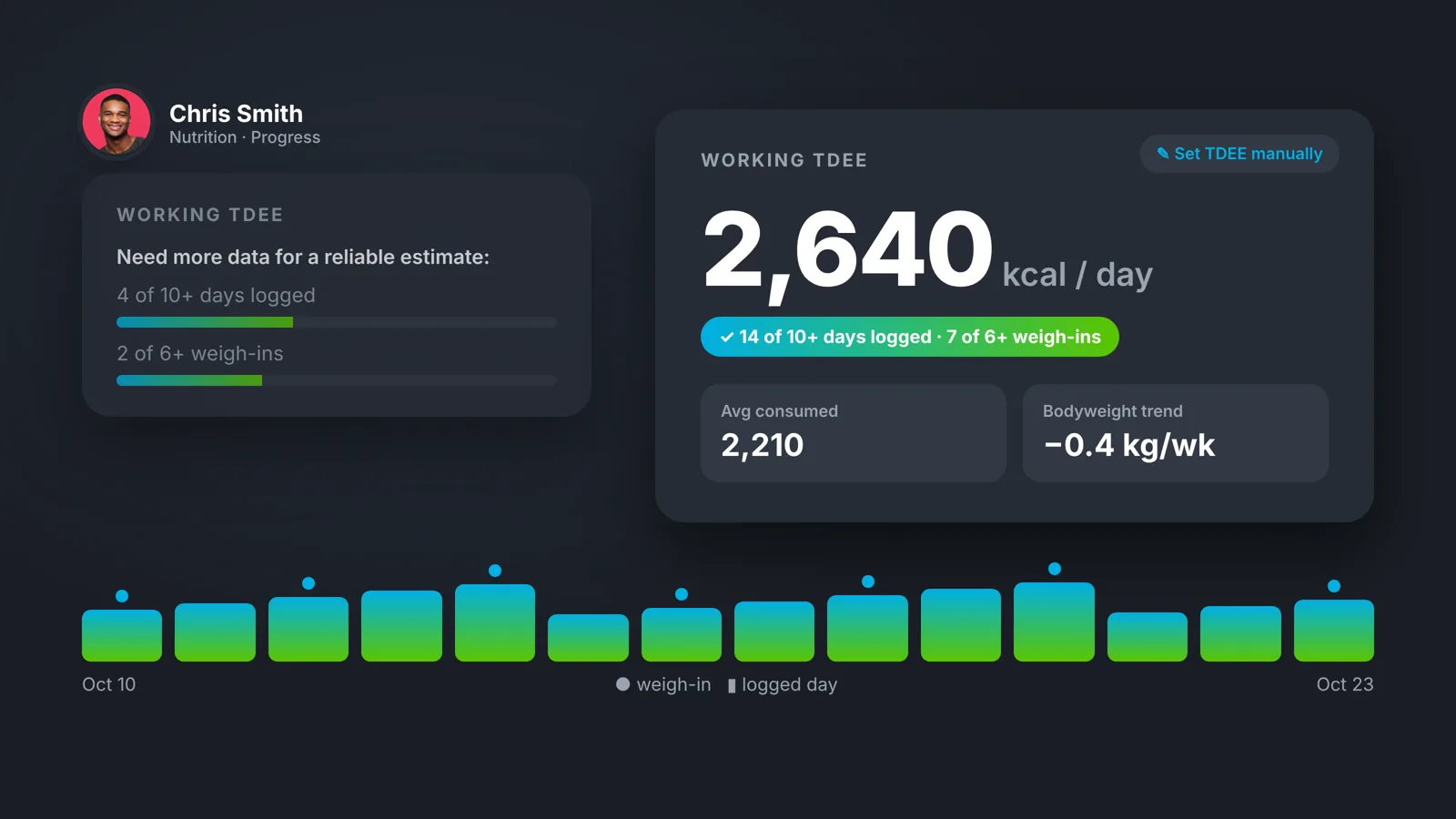
Nutrition Progress overhaul: New views, insights and TDEE on one redesigned page, and the food log shows portion size and calories per food.
Better meal plan templates: Your custom foods and meals are easier to reach while you build.
Import a single-day meal template: Drop a one-day template into a detailed meal plan with one click.
Compare photos anywhere: The side-by-side compare view now works on the regular progress photos screen.
Adductors and abductors: New muscle groups you can tag, so hip work is tracked properly.
Client mobile app
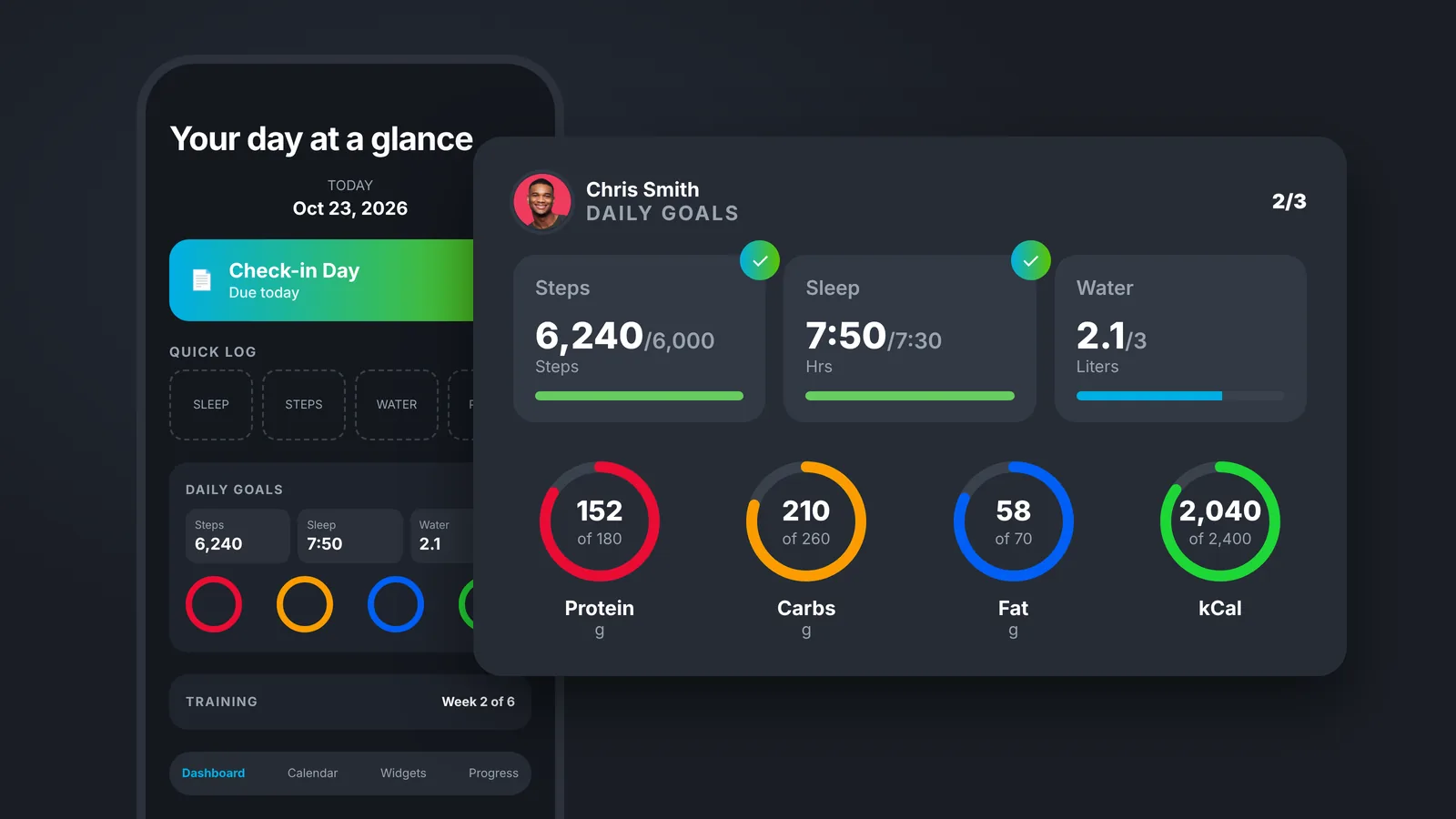
Daily Dashboard: Your 1:1 clients open the app to today's plan, built from your setup, with daily goals for steps, sleep and water and a session RPE card.
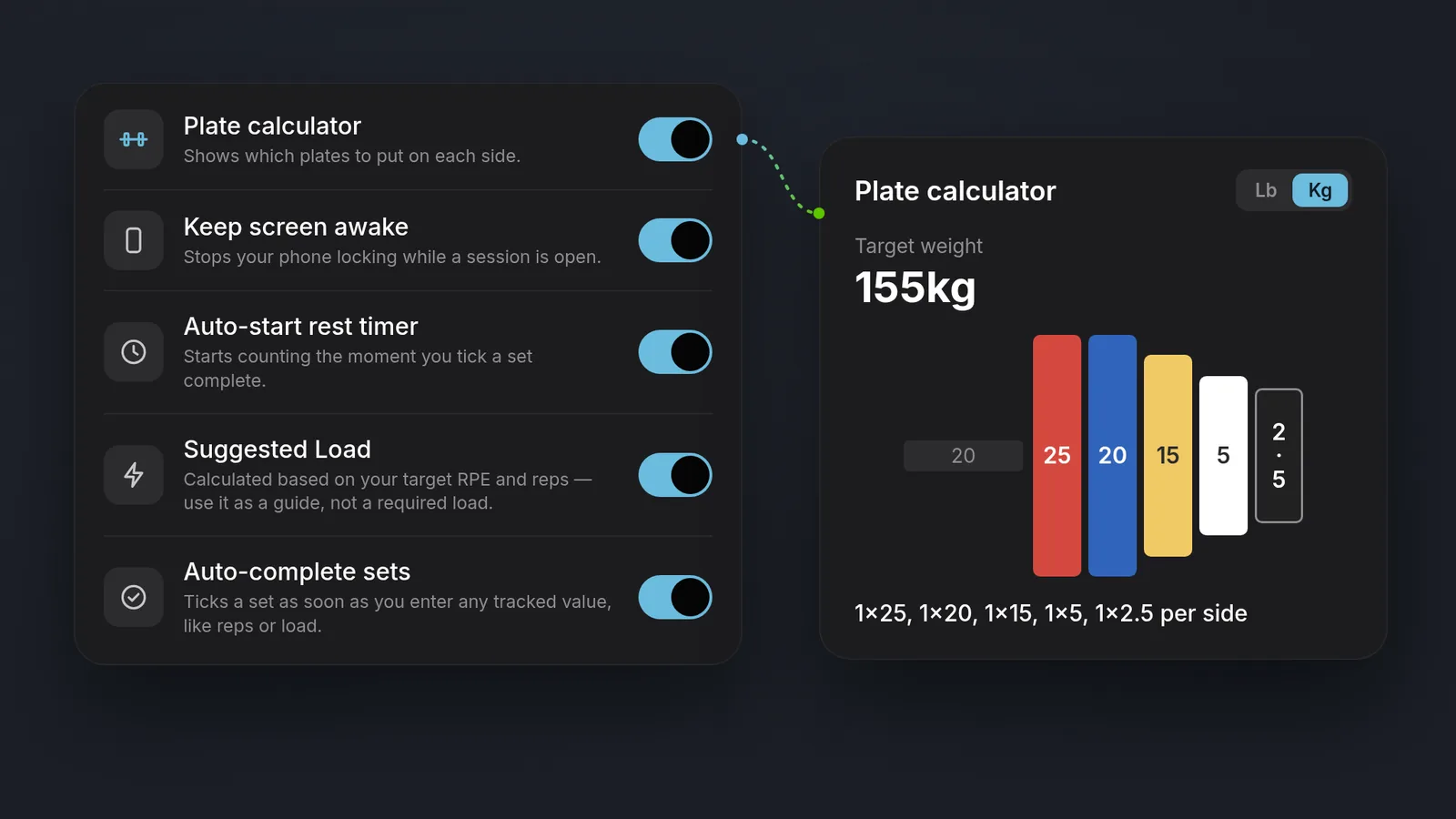
Workout log settings: Clients get a plate calculator, a keep-screen-awake option, full rest timer control, a Suggested Load toggle and auto-complete for sets.
Exercise parameter explanations: Clients can tap a set-log column (Reps, RPE/RIR, Load, e1RM) to see what it means.
"My Programs" always on the Training card: Clients can always reach their other programs.
PUSH: program subscriptions
Flexible renewal intervals: Subscriptions can renew every X weeks, months or years.
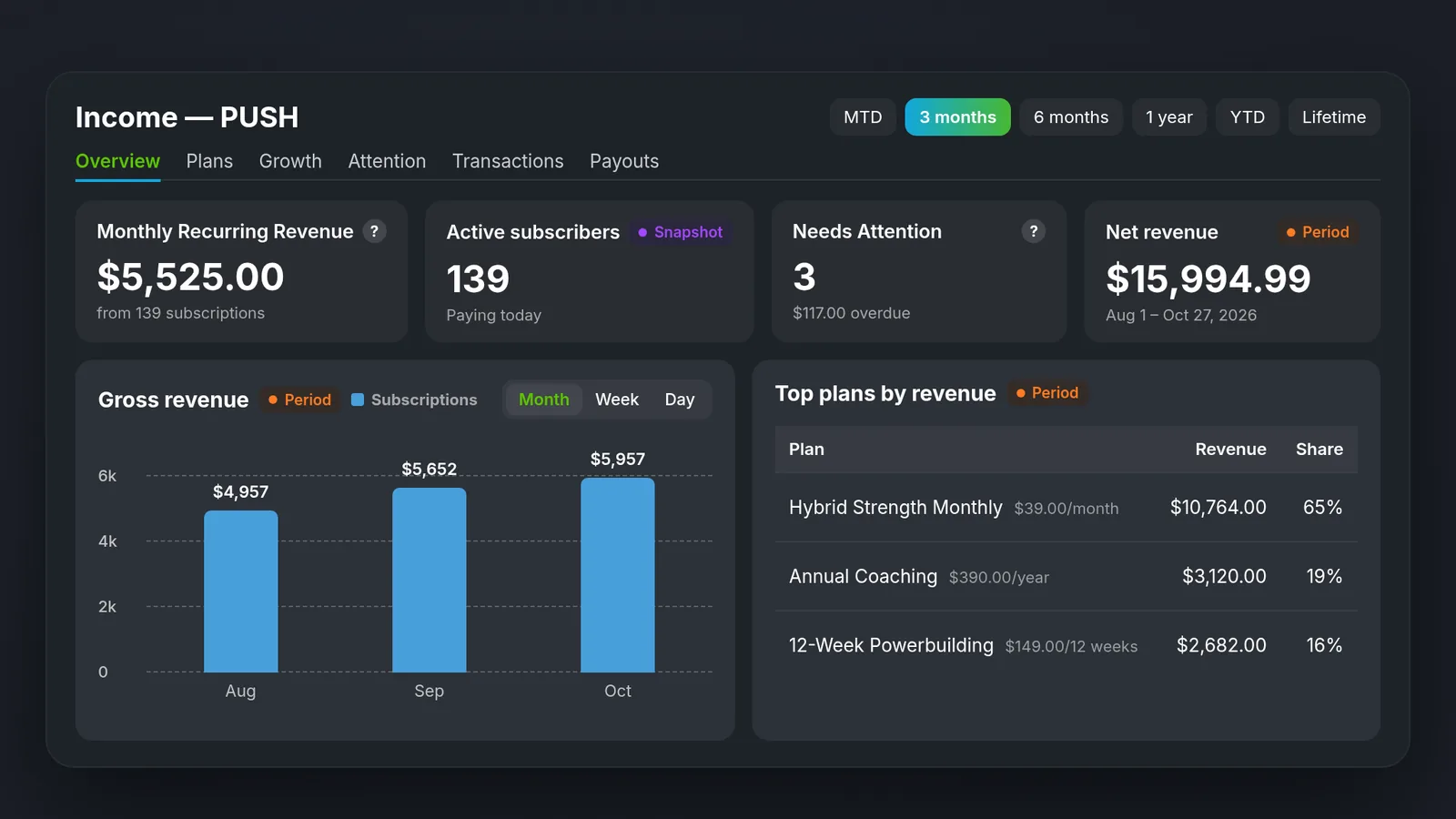
Income and membership insights: An entirely rebuilt dashboard to measure your business performance, with revenue, your best plans, transactions, failed payments and growth charts.
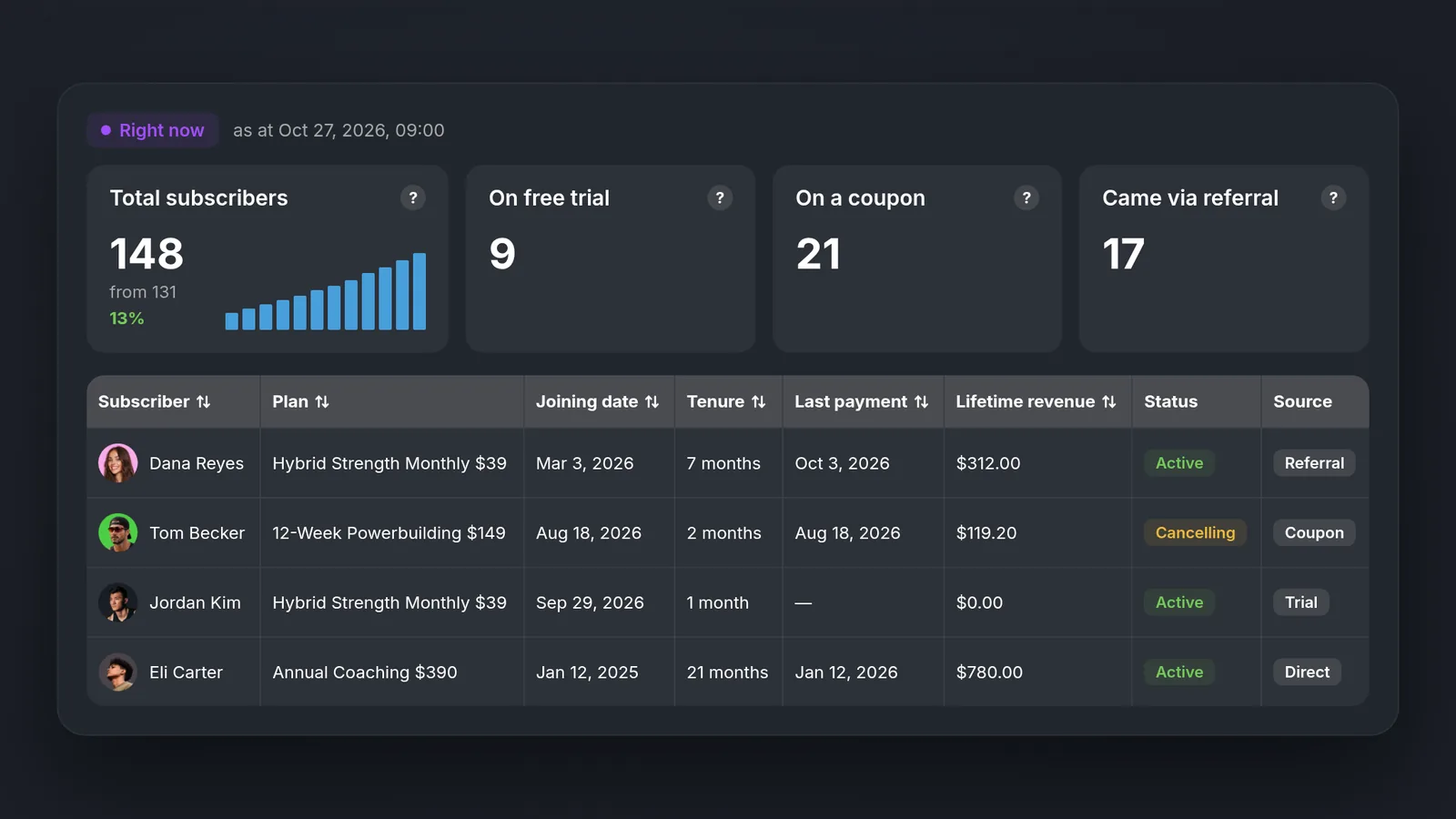
Subscriber list (PUSH): See every subscriber in one place, with totals for trials, coupons and referrals, plus each person's plan, tenure, last payment, lifetime revenue, status and source.
PRESS: gym management
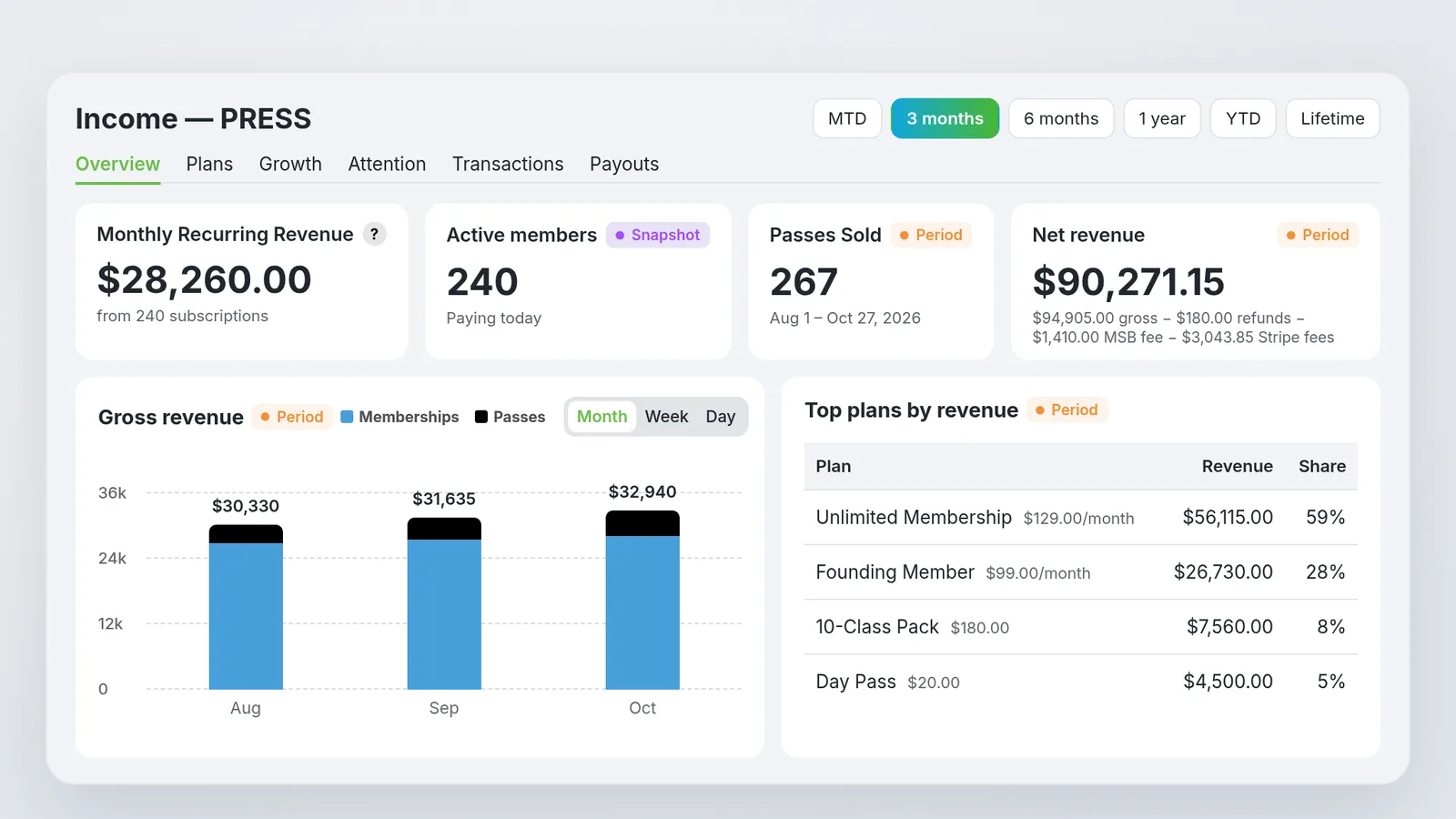
Flexible plans: Plans can renew every X weeks, months or years, with a live price and revenue summary as you build.
Day and week passes: Sell one-off passes, with entry instructions emailed to the buyer the moment they pay. Week passes include optional key access.
Income and membership insights: An entirely rebuilt dashboard to measure your business performance, with revenue per day, your best memberships, a filterable transaction feed, failed payments and growth charts.
Scheduling
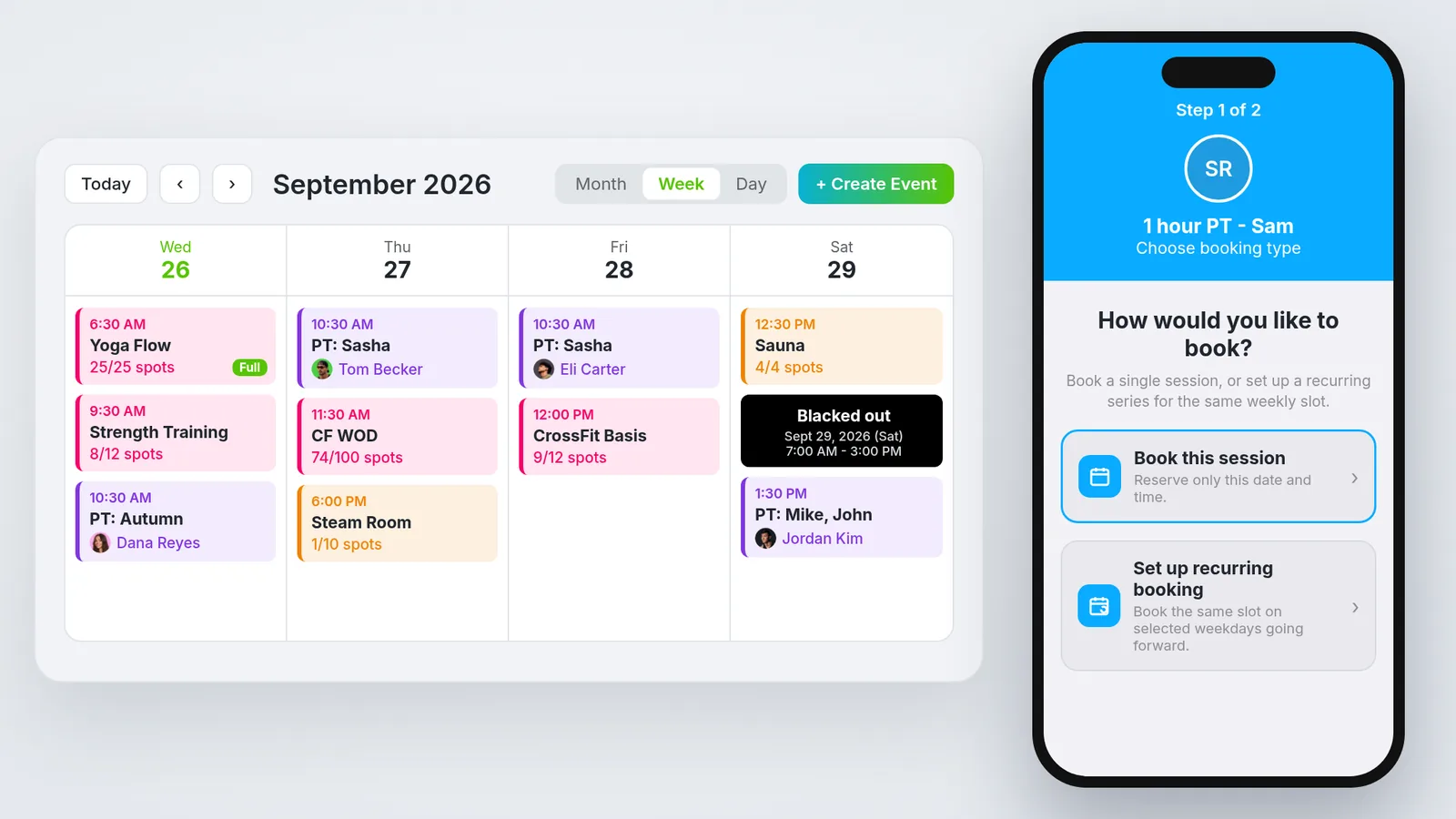
Launched in Q3: In-App Scheduling (beta) for PULL, PERFORM and PRESS
Clients book sessions, classes and facilities right from the app.
Everyone works from one live calendar for the whole organization.
You control who can book what, by user type or membership.
Block off dates, and sync Google, Apple and Outlook calendars.
Weekly recurring classes are included.
Shipped since
Event reminders and notification preferences: Get reminders 15 minutes or 1 hour before your events, and choose which event types notify you.
Booking cutoffs: Set how close to the start time clients can still book, with a minimum of 1 hour.
Scheduling on the daily dashboard: Clients see today's sessions and past attendance.
Recurring bookings for clients: Clients can edit or cancel one booking or the whole series.
Coach app booking: Book for clients and reschedule classes from the coach app.
Coming soon
Consults: Prospects book a gym tour or video call through a link or an embed on your website.
What we're building
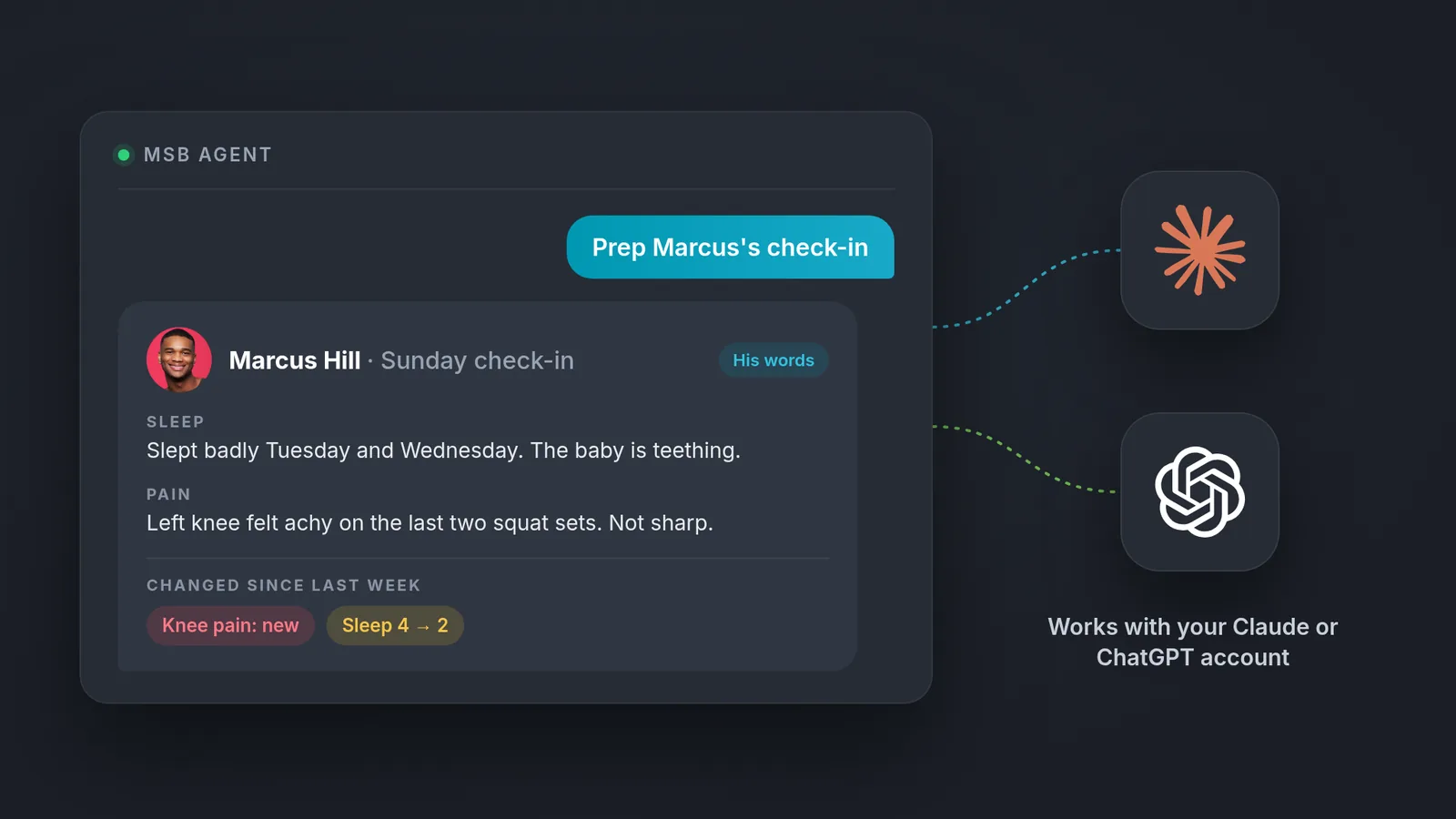
MyStrengthBook Agent (private beta): Connect your coaching account to Claude or ChatGPT to prep check-ins, ask questions about your clients, build programs and import them from spreadsheets. Nothing is saved without your OK, and it never messages your clients.
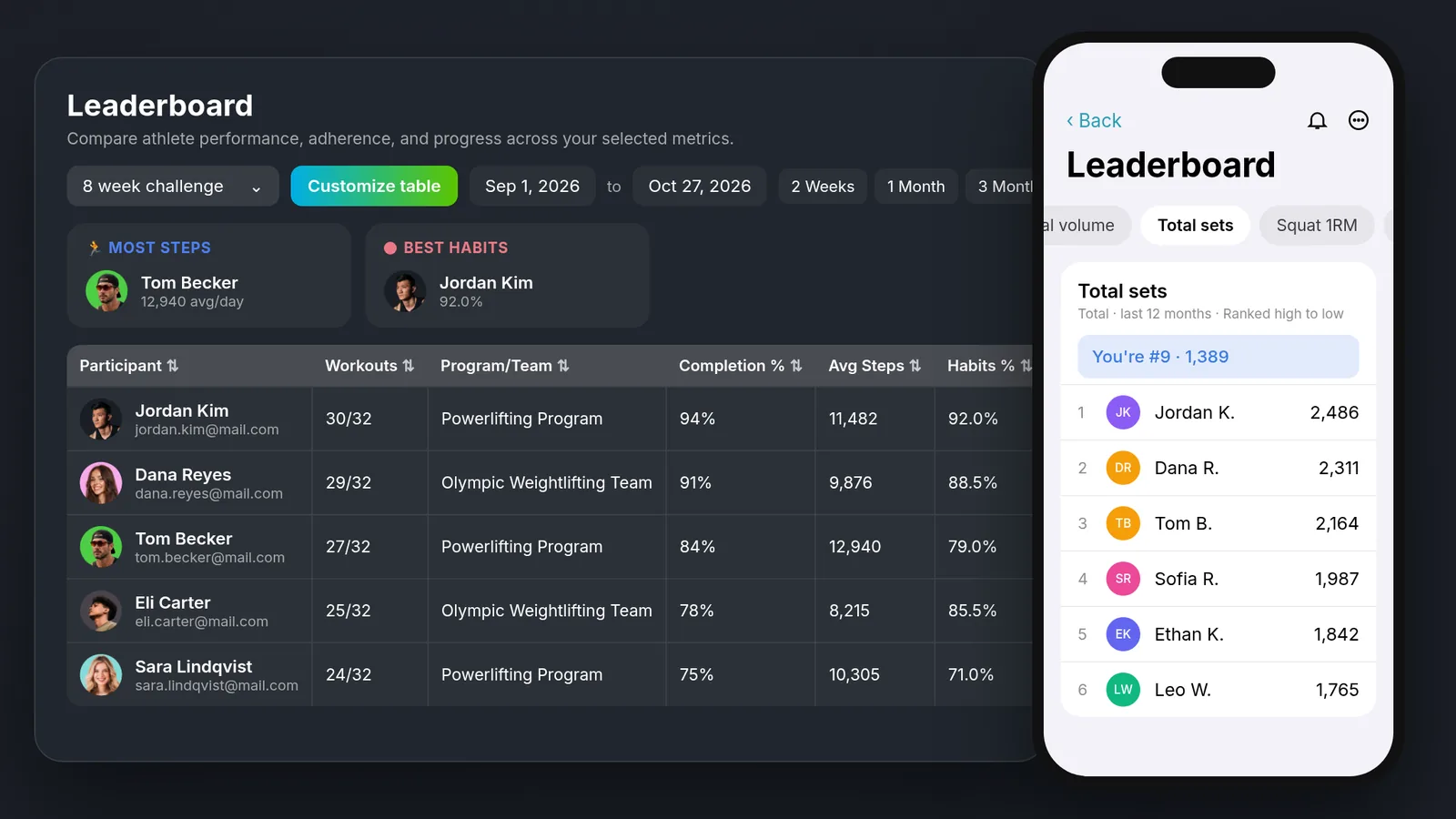
Leaderboards: Publish leaderboards to your members and let them see where they rank. You choose what's ranked and who sees it.
Your Day: One coach home screen showing what you need to do today, who trained, who missed, and who's falling off.
Morning Brief and Daily Reflection: Your 1:1 clients get a morning summary of the day's plan, then an evening check-in to log anything they missed and answer your questions.
Email Automations: Send emails automatically when something happens in your business, like a new member joining, a renewal coming up, a failed payment, a cancellation, or a client who hasn't accepted their invite. Starter templates cover every tier, and you can add delays and filters.
Thanks to every coach who sent us feedback this quarter. Log in to MyStrengthBook to try what's new.


No email required
More from the blog

Your coaching deserves a smarter engine
Program, track, and analyze every client across training, nutrition, lifestyle, and education. Less admin, more coaching
Explore PULL ›