


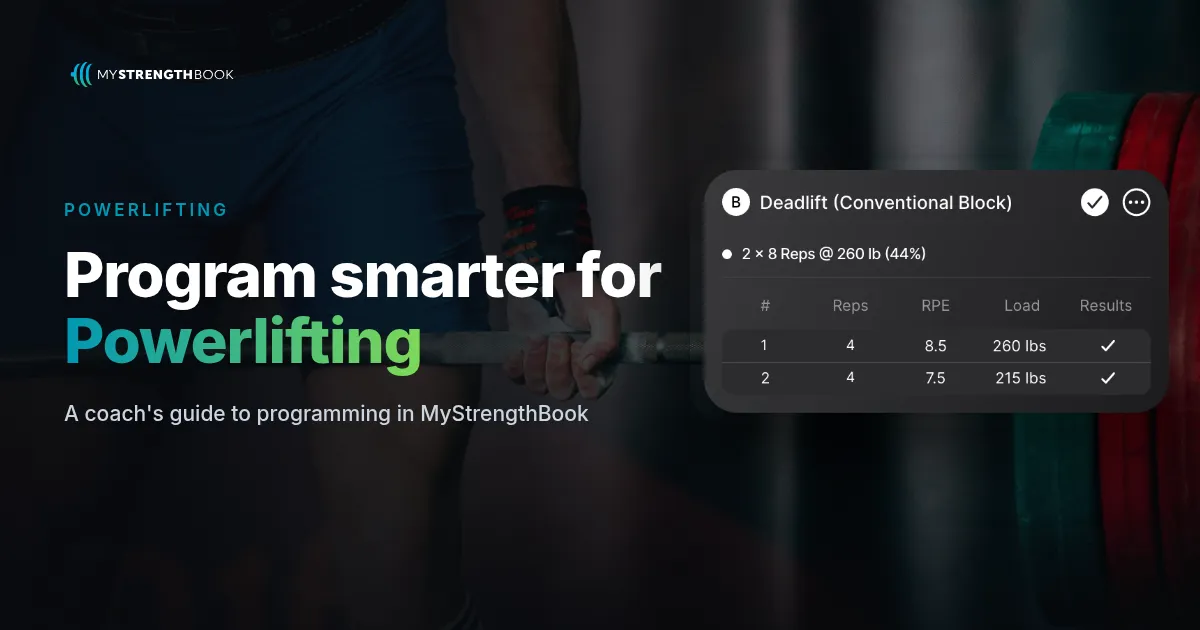
How to Program Powerlifting in MyStrengthBook
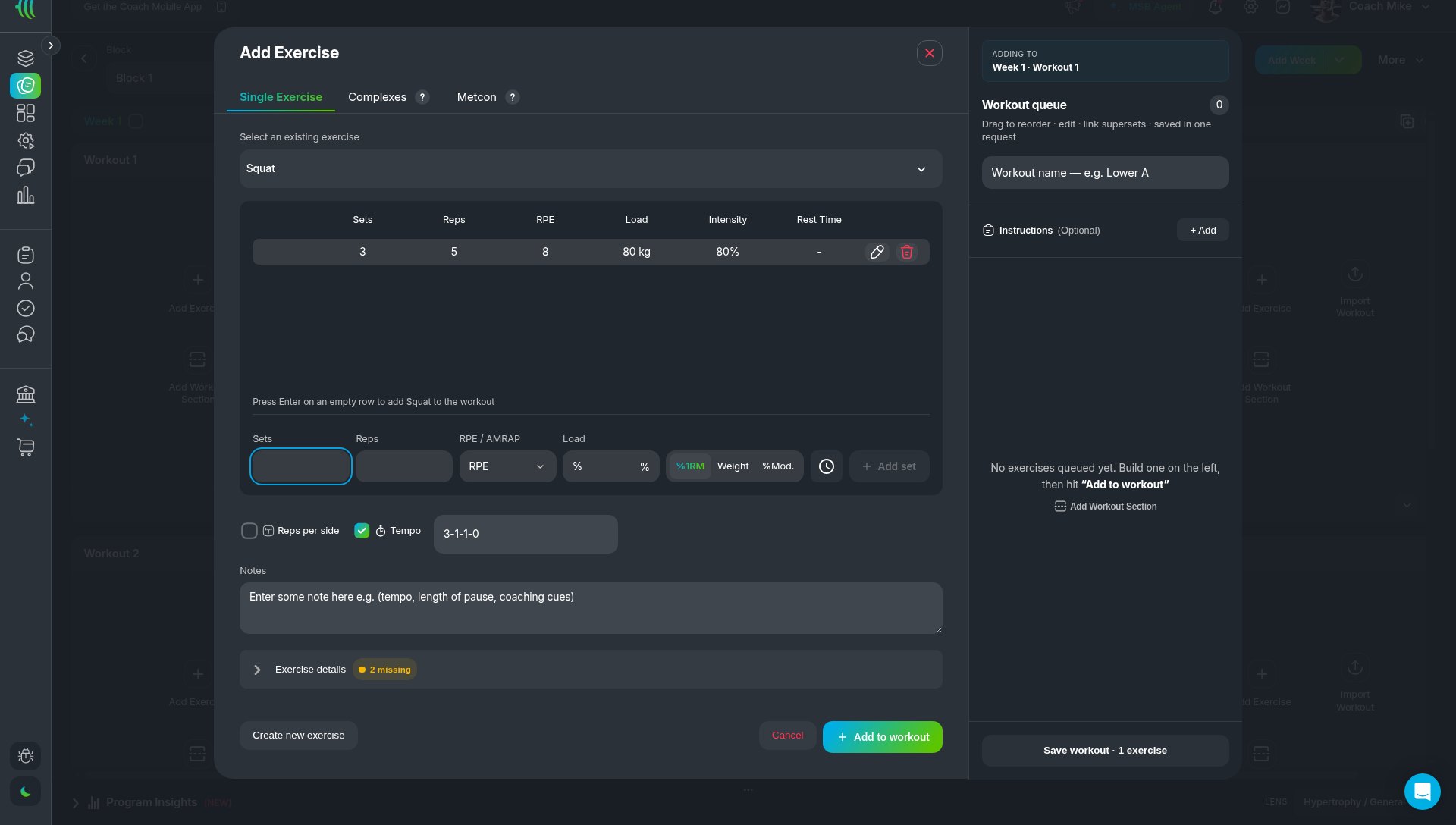
Short answer: In MyStrengthBook, you program powerlifting in the Add Exercise modal. Each set row has Sets, Reps, RPE and Load, and Load switches between %1RM, Weight and %Mod. So you can write 3 x 5 @ RPE 8 @ 80% on one set. Add tempo if you want it, progress the block with Duplicate Week, and review Strength Metrics, Personal Records and Exercise History in client reports.
Why should RPE and %1RM live on the same set?
Percentages tell your lifter where to start. RPE tells them how hard it should feel. Good strength coaches use both, because a lifter's best day and worst day are rarely the same.
Most apps make you pick one, or push the other into a notes field. In MyStrengthBook, both are real fields on the same set. Percentages calculate from the athlete's maxes and logged results, so the load on screen matches the lifter in front of you.
What can you prescribe on a set row?
The set row in the Single Exercise tab has:
- Sets and Reps.
- RPE / AMRAP. A dropdown for an RPE target or an AMRAP set.
- Load, with a toggle for %1RM, Weight or %Mod.
- Tempo and Reps per side. Optional checkboxes. The card shows tempo like "Tempo: 3-1-1-0".
Squat, bench and deadlift are the primary lifts, and variations sit under each one. The exercise library also stores each exercise's type and its primary and secondary muscles.
What does %Mod. do?
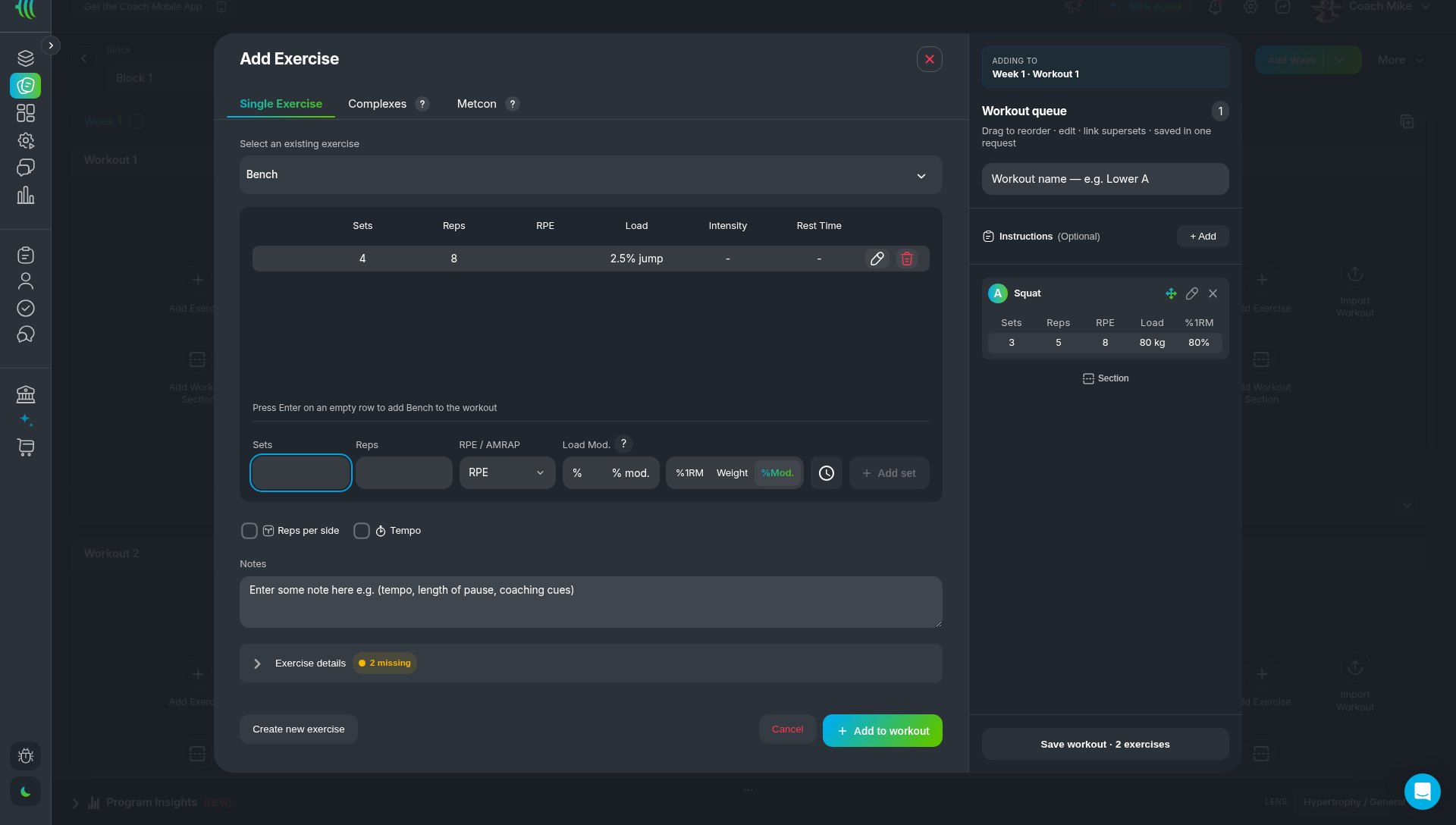
%Mod. is a load modification. It is a percentage added to or taken off the weight of a previous session. For example, if a lifter squatted 3 x 4 at 150 kg last week, a +2.5% mod means they aim for 153.75 kg this week. The card shows it plainly, like "2.5% jump".
It is a suggestion, so the coach or athlete can still change it. It works from what the lifter logged, so the earlier session needs to be logged.
How do you build a powerlifting session step by step?
- Open a program. Go to Templates, then open or create a program. The More menu has Edit program settings, Configure weeks and Configure workouts.
- Add the lift. In a workout, click Add Exercise. Search for the lift in the Single Exercise tab.
- Fill in the set row. Enter Sets and Reps, pick an RPE, and set Load to %1RM. Click Add set.
- Add the extras. Tick Tempo or Reps per side if you need them.
- Queue it up. The exercise goes to the Workout queue. Drag to reorder, edit, or link supersets. Then save the workout.
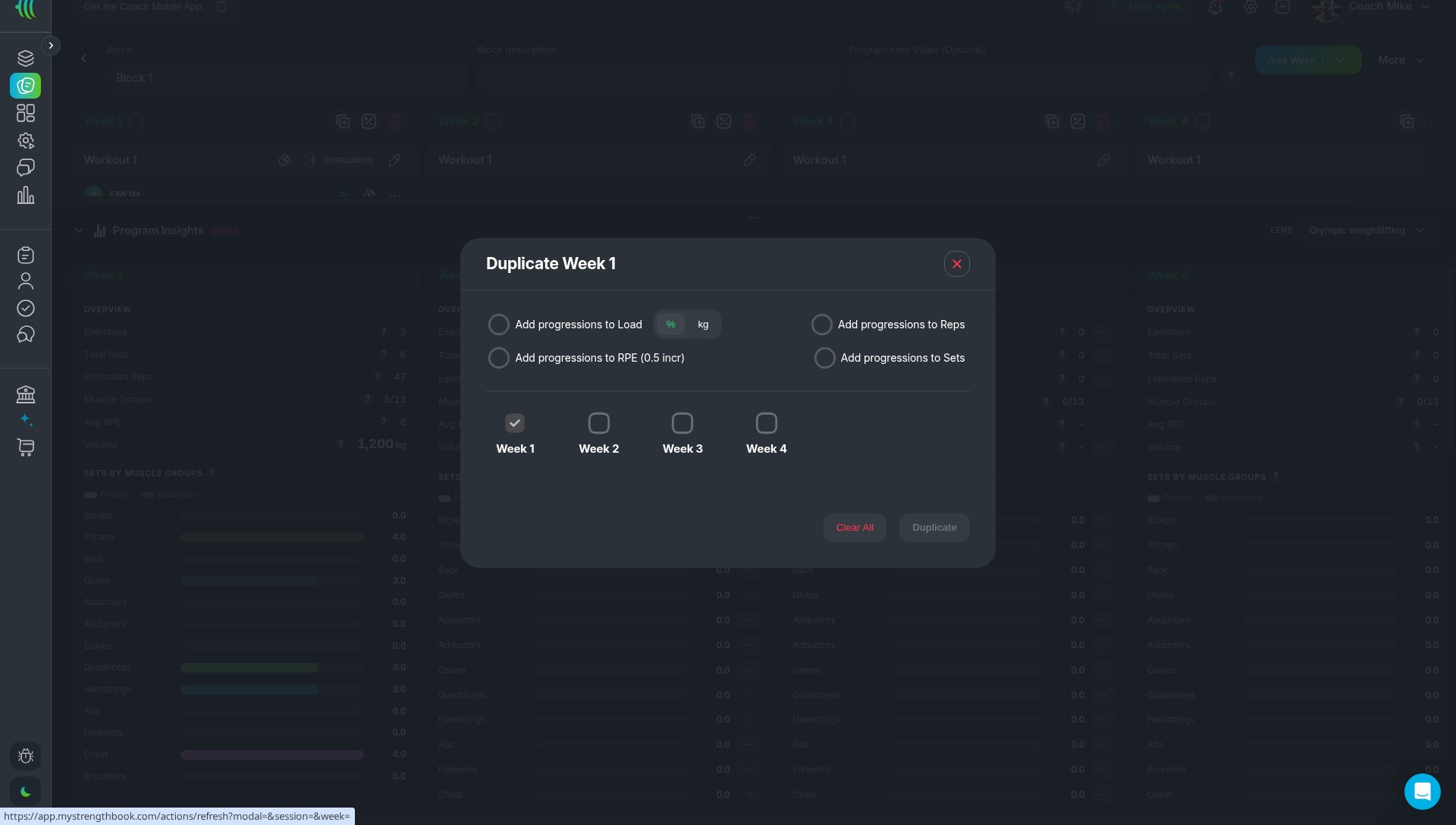
- Progress the block. Use the duplicate icon in the week header to open Duplicate Week. Pick the target weeks and the progressions. Or click Add Week.
- Deliver it. Assign the program to a client with PULL, or publish it to your Store with PUSH.
What does a sample powerlifting session look like?
Week 1, Day 1:
- A. Competition Squat: 1 x 3 @ RPE 8 (top set), then 3 x 4 @ 75% 1RM
- B. Paused Bench: 4 x 5 @ RPE 7 @ 72% 1RM
- C. Romanian Deadlift: 3 x 8 @ RPE 7, Tempo 3-1-1-0
To progress, duplicate Week 1 into weeks 2 to 4 with progressions. Or set a +2.5% jump with %Mod. on next week's sets.
How do you progress a block across weeks?
Duplicate Week copies a week into the target weeks you pick. The modal offers progressions to Load (in % or kg), Reps, RPE (in 0.5 steps) and Sets. Use it to turn one good microcycle into a full mesocycle, then adjust single sessions by hand.
How do you review a lifter's progress?
Open the client's Reports > Training:
- Strength Metrics has tiles such as Volume & Intensity, Baseline Volume & Relative Intensity, Over/Under Baseline Volume, Volume Split by Core Lift, Personal Record Table, Rep Max Estimator and RPE Custom Tables.
- Personal Records lists PRs.
- Exercise History shows the estimated 1RM (e1RM). Treat e1RM as an estimate from logged sets, not a tested max.
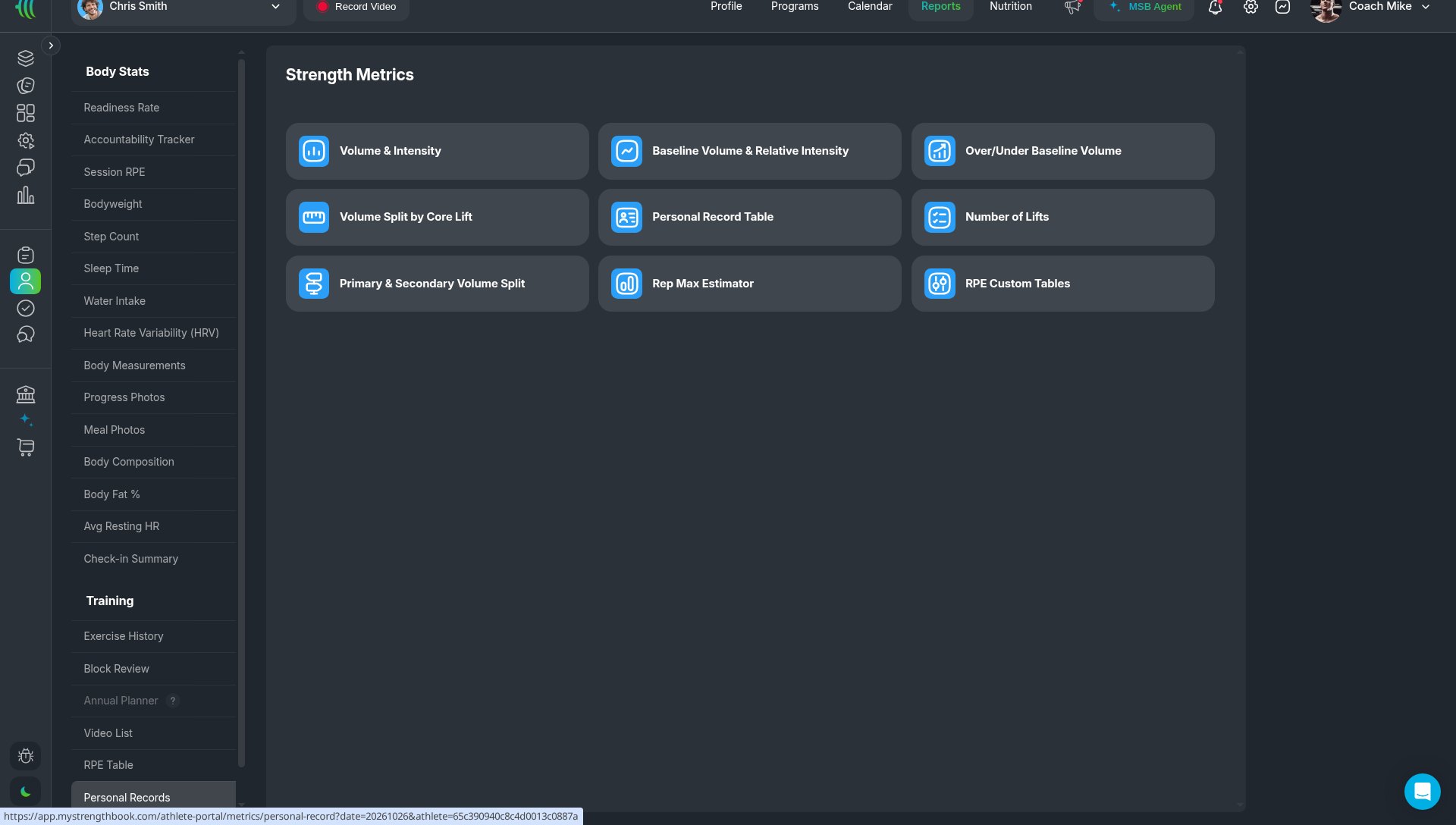
A good habit during a block review: check Volume Split by Core Lift. It shows quickly if squat, bench or deadlift volume drifted from your plan.
FAQ
Can I use RPE and percentages on the same set?
Yes. A set can be 3 x 5 @ RPE 8 @ 80% 1RM.
Where do the percentages come from?
Percentages calculate from the athlete's maxes and logged results.
Can I prescribe AMRAP sets?
Yes. The RPE / AMRAP dropdown on the set row lets you set an AMRAP set.
Can I plan a whole meet prep?
Yes. PULL coaches can map the macrocycle in Periodization on web. See how to plan meet prep from meet day back
Is e1RM the same as a true 1RM?
No. It is an estimate from logged sets. It is useful for trends, not as a tested max.
Build your next strength block
Coach other disciplines too? See how MyStrengthBook handles every discipline. Weightlifting coaches can also read the Olympic weightlifting guide.
Start your free trial and build Week 1, Day 1 of your next block.


No email required
More from the blog





Your coaching deserves a smarter engine
Program, track, and analyze every client across training, nutrition, lifestyle, and education. Less admin, more coaching
Explore PULL ›