
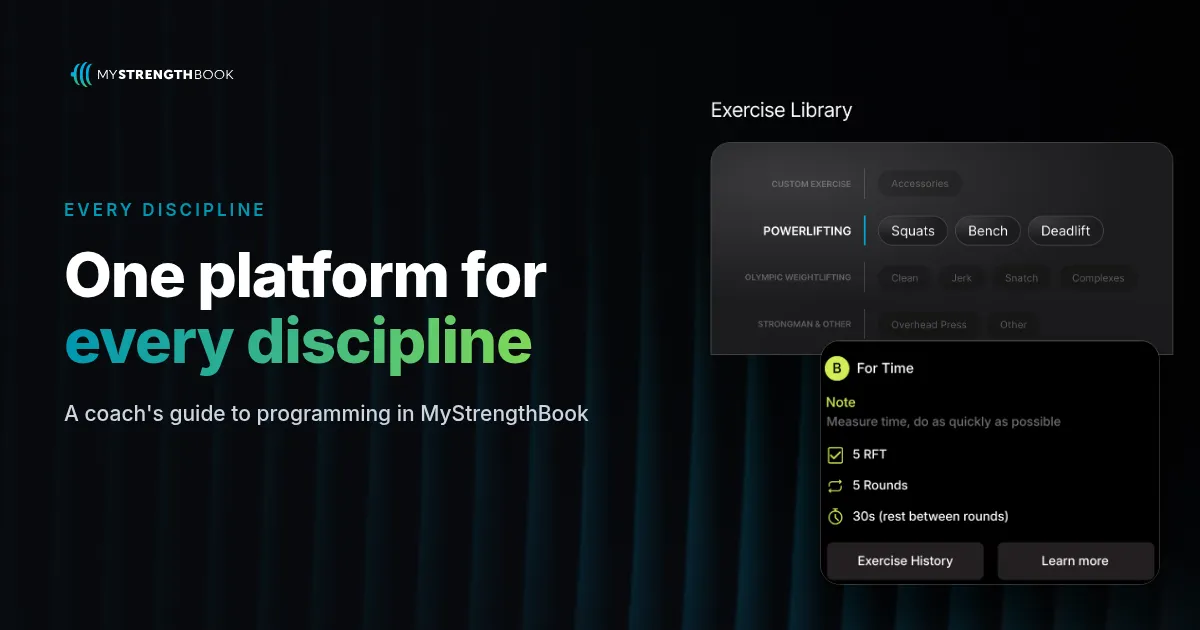
How to Program Any Training Discipline in MyStrengthBook
Short answer: MyStrengthBook uses one program builder for every discipline, with tools built for how each one is coached. Lifters get %1RM and RPE on the same set. Physique coaches get RPE effort targets, tempo and sets per muscle group. Metcon coaches get structured AMRAPs, EMOMs, Tabatas and more. Weightlifting coaches get complexes with a percentage based on the lift that matters. Pick your discipline below and build one session today.
Why does your discipline need its own programming language?
Most coaching apps give every coach the same blank workout box. A powerlifting coach types "3x5 @ RPE 8 @ 80%" into a notes field. A metcon coach writes the whole EMOM as text. The program looks fine, but the software can't read it.
That costs you later. You can't see volume by muscle. You can't track the complex your lifter actually did. You end up checking everything by hand.
MyStrengthBook takes a different approach. Same builder, same client app, but each discipline gets real fields for the way it is already coached.
What do all disciplines share in MyStrengthBook?
Every guide below builds on the same foundation:
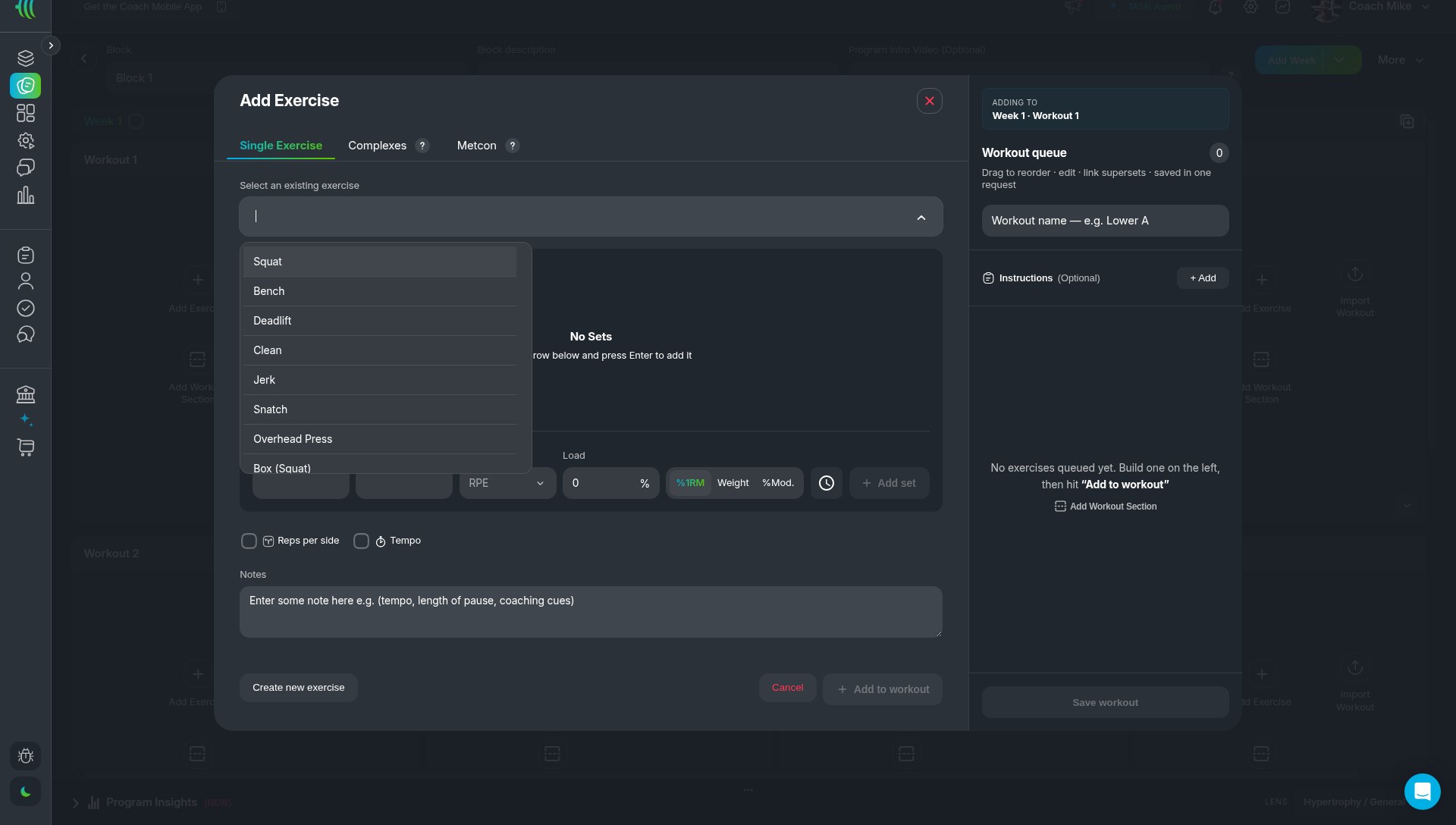
- One program builder. In any workout, Add Exercise opens a modal with three tabs: Single Exercise, Complexes and Metcon. Exercises go into a Workout queue, where you reorder them and link supersets, then save the workout.
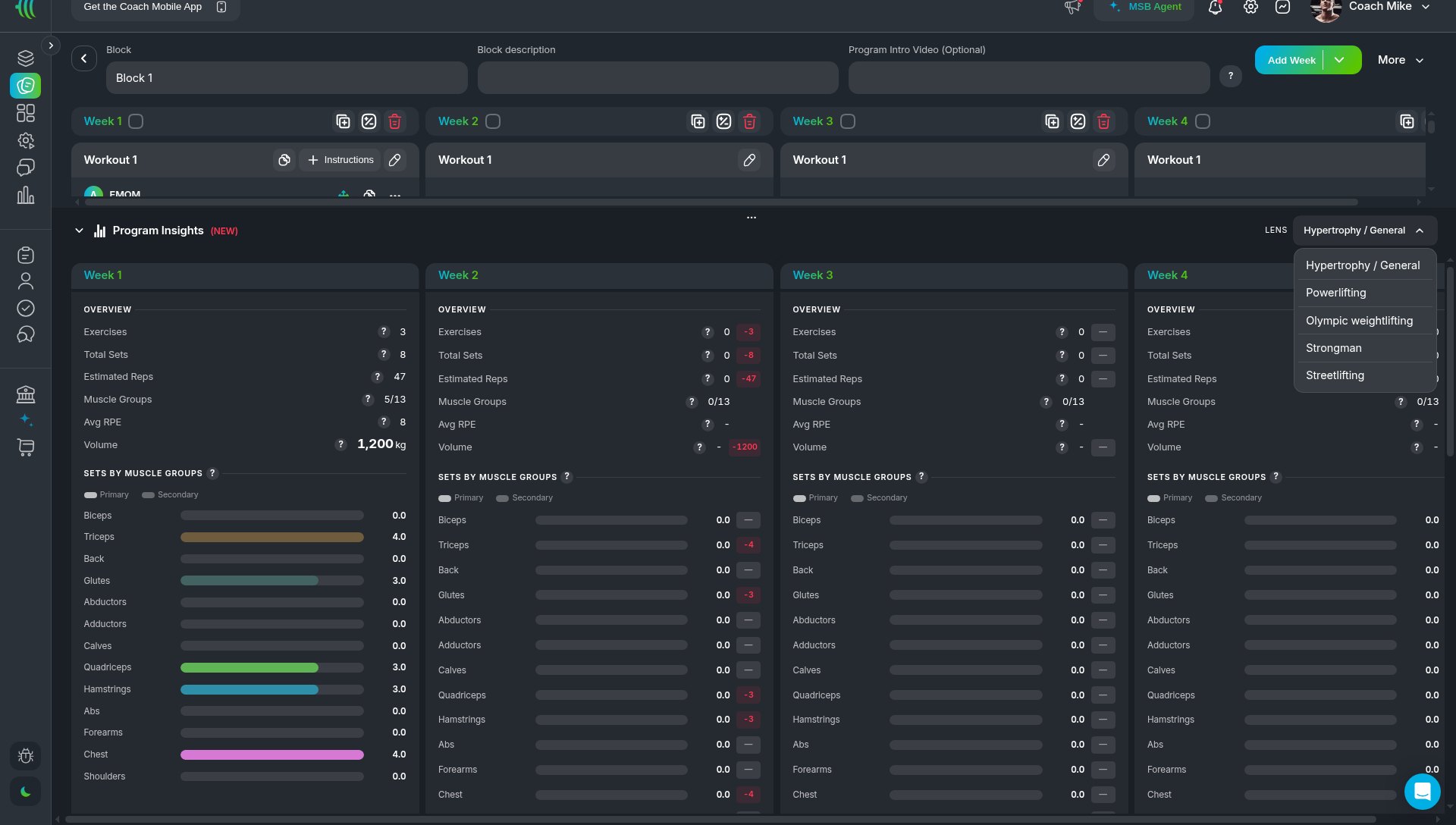
- Program Insights. A panel at the bottom of the program editor shows exercises, total sets, average RPE, volume and sets by muscle group for each week, while you build.
- Your exercise library. Add your own exercises, your own videos and your own cues. Each exercise stores its type and its primary and secondary muscles.
- Build once, deliver two ways. Assign a program to your 1:1 clients with PULL, or publish it to your Store with PUSH.
- A client app built for logging. Clients log every set in your branded app, with video on every set.
Which discipline guide should you start with?
Strength and powerlifting
Prescribe RPE and %1RM on the same set, add tempo, and set a percentage jump from a previous session with %Mod. Then progress the block with Duplicate Week. Read the powerlifting guide
Hypertrophy and bodybuilding
Set effort with RPE, add tempo, link supersets, and check sets per muscle group in Program Insights before your client trains. Read the hypertrophy guide
CrossFit, hybrid and metcons
Build AMRAPs, EMOMs, For Time, Tabatas, Chippers and Ladders as structured metcons, and put strength work in the same workout. Read the metcon guide
Olympic weightlifting
Build complexes like Hang Power Snatch + Snatch, prescribe 2+1 @ 75%, and base the percentage on the lift you choose. Read the weightlifting guide
Strongman and streetlifting
There is no dedicated guide yet. The same builder works, and Program Insights has a LENS for Strongman and for Streetlifting, next to Hypertrophy / General, Powerlifting and Olympic weightlifting.
How do you plan the bigger picture across a macrocycle?
Programs cover the mesocycle and microcycle. For the macrocycle, PULL coaches can use Periodization on web. It puts training mesocycles, nutrition phases and competition milestones on one timeline. See how to plan meet prep from meet day back
FAQ
Can I coach more than one discipline in the same account?
Yes. The builder is the same for every discipline. You can mix single exercises, complexes and metcons in one program, or even one workout.
Can I put strength work and a metcon in the same workout?
Yes. A workout can hold an EMOM and a strength superset together.
Does MyStrengthBook use RPE or RIR?
The set row uses RPE or AMRAP. If you coach with reps in reserve, many coaches convert it, for example RPE 8 is roughly 2 reps in reserve, and write that in the exercise notes.
Do I need to be an experienced coach to use these tools?
No. Start with one session in the guide that matches how you coach. Add the deeper tools, like Program Insights or complexes, when you need them.
Is there a guide for weight-loss or general fitness clients?
Not yet. The same program builder works for beginner full-body sessions and circuits.
Build one session in your discipline today
Open a trial account, pick the guide that fits how you coach, and build one real session. Start your free trial

No email required
More from the blog

Your coaching deserves a smarter engine
Program, track, and analyze every client across training, nutrition, lifestyle, and education. Less admin, more coaching
Explore PULL ›